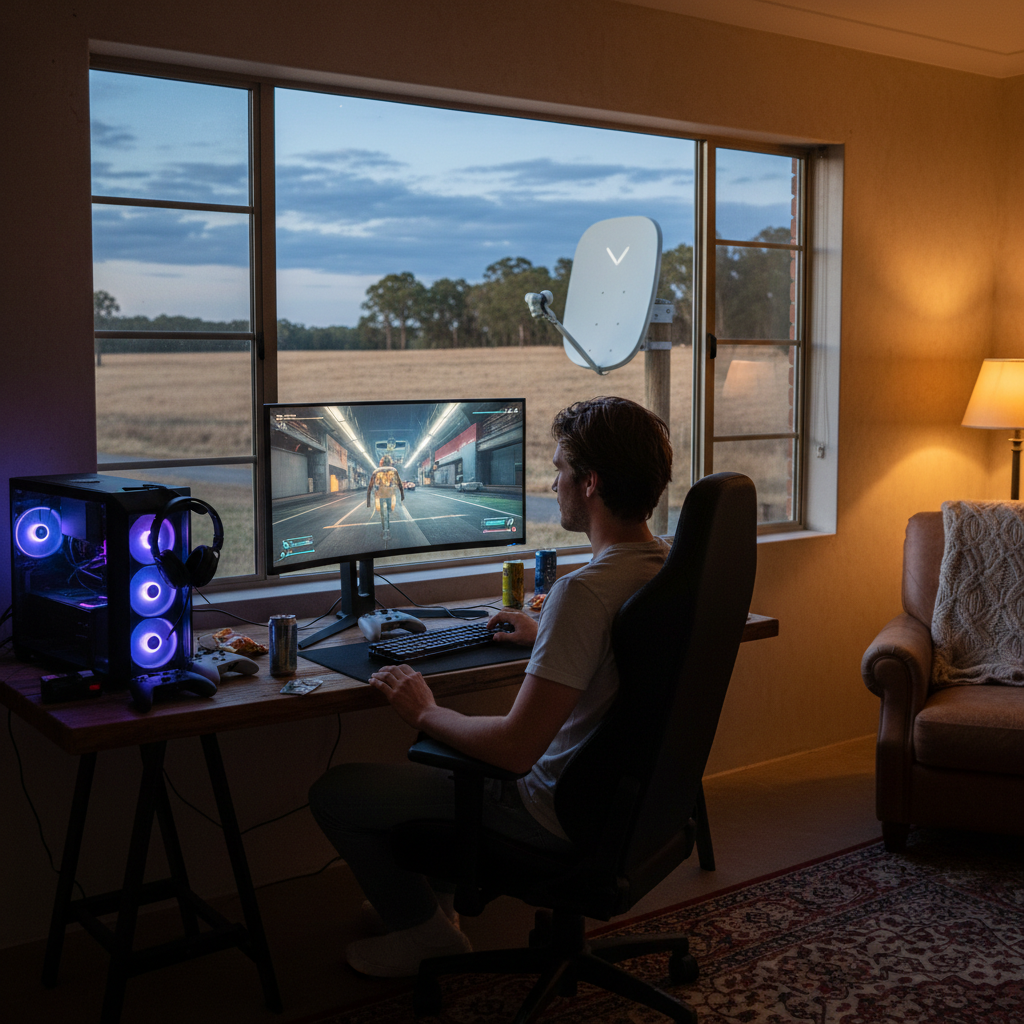
Online gaming is bandwidth-light but extremely sensitive to latency. That makes satellite internet a tough fit for gaming — historically at least. With Starlink’s arrival, the answer has changed significantly. Here’s what you can actually expect when gaming on satellite internet in Australia in 2026.
Is satellite internet good for gaming?
Short answer: Starlink, yes — for most games. Sky Muster, no — the latency is too high for any fast-paced multiplayer.
Why latency matters more than speed for gaming
Most people assume you need a fast internet plan for gaming. You don’t. Online games actually use very little bandwidth — typically 50–500 kilobits per second per player. Even a 5Mbps connection is plenty for most games.
What matters is latency (also called ping) — the time it takes for a signal to travel from your console to the game server and back. Low latency means responsive gameplay. High latency means lag, delayed actions, and rubber-banding.
Rough guide:
- Under 20ms — great for competitive games (FPS, fighting games)
- 20–60ms — fine for most online games
- 60–100ms — playable but starting to feel slow
- Over 100ms — noticeable lag in fast-paced games
- Over 300ms — most multiplayer games unplayable
Sky Muster (geostationary satellite) and gaming
NBN Sky Muster uses geostationary satellites 35,000km above Earth. Every signal has to travel up to space and back, which adds 500–700ms of latency on top of everything else.
This makes Sky Muster unsuitable for almost any multiplayer game. Single-player games and turn-based games (chess, slow strategy games) are fine because they don’t rely on real-time responsiveness. But anything with real-time PvP — Fortnite, Call of Duty, Rocket League, Counter-Strike — will feel completely broken on Sky Muster.
Starlink and gaming
Starlink uses low Earth orbit satellites at around 550km. The signal trip is much shorter, so latency in Australia is typically 20–50ms — similar to NBN.
What you can expect when gaming on Starlink:
- FPS games (Call of Duty, Apex, Valorant) — playable. Competitive players might prefer NBN if available, but Starlink is far more usable than any other satellite option.
- Battle royale (Fortnite, Warzone) — works well.
- MOBAs (League of Legends, Dota 2) — fine.
- MMOs (FFXIV, WoW) — fine.
- Console online (Xbox/PlayStation) — works.
- Cloud gaming (GeForce Now, Xbox Cloud) — works but can have brief stutters during satellite handoffs.
Most rural Australian gamers who switched from Sky Muster to Starlink say it transformed their gaming experience.
What about jitter and packet loss?
Jitter (variation in latency over time) matters for gaming. A connection with consistent 50ms ping is better than one that bounces between 20ms and 200ms. Starlink jitter is generally low but can spike when satellites are handing off — you may notice a brief stutter every few minutes in competitive games.
Packet loss is also worth checking. Starlink usually runs under 1% packet loss, which is acceptable for gaming. Sky Muster can have higher packet loss in bad weather.
Settings to optimise for gaming on Starlink
- Plug your console or PC directly into the Starlink router with Ethernet — Wi-Fi adds latency and packet loss.
- Pick the lowest-latency game servers — most games let you choose. For Australian Starlink users, AU East servers usually have the best ping.
- Disable other background downloads during gaming — Steam, console updates, cloud sync all eat bandwidth and add latency spikes.
- Mount the Starlink dish with a clear sky view — obstructions cause dropouts.
4G/5G home broadband as an alternative
If you’re in a regional area with decent 4G or 5G coverage, mobile home broadband can be a better gaming option than satellite. Latency on 5G in Australia is typically 15–30ms, often lower than Starlink. The catch is coverage — many rural areas have only Sky Muster or Starlink available.
Our 5G internet guide covers coverage and plans.
What if I’m stuck on Sky Muster?
Your options for gaming are limited:
- Stick to single-player games and turn-based games
- Check whether 4G mobile broadband is available at your address
- Consider Starlink — even at $139/month + $599 hardware, it’s a transformative upgrade for gaming
For a full comparison, see Starlink vs Sky Muster.
Satellite gaming FAQ
What ping is acceptable for gaming?
Under 50ms is fine for most games. Under 30ms is great. Over 100ms is noticeable in competitive games but still playable for casual play. Sky Muster’s 500ms+ is unplayable for anything competitive.
Is Starlink fast enough for cloud gaming?
Yes. Cloud gaming services (GeForce Now, Xbox Cloud Gaming, PlayStation Plus) need 10–25Mbps and low latency. Starlink delivers both. You may get occasional stutters during satellite handoffs.
Will fibre always be better than satellite for gaming?
In most cases yes, but the gap is much smaller than it used to be. A good Starlink connection in Australia can rival low-end FTTN performance for gaming.
Does the time of day affect Starlink gaming?
Slightly — speeds can drop during evening peak hours as more users come online. Latency is more stable. Most gamers don’t notice the difference.
Compare internet plans
If you’re stuck on slow rural internet, our Starlink vs Sky Muster guide covers your satellite options, and our wireless plans page lists 4G/5G home broadband alternatives.