Switching NBN providers is one of the easiest things you can do to save money or get faster internet. The process is largely handled by the new provider, your physical NBN connection stays the same, and you usually have your new service active within 1–3 days. Here’s exactly how to switch without losing internet along the way.
Why switch NBN providers?
The most common reasons people switch:
- Save money — your old plan’s price has crept up after the introductory discount expired
- Better evening speeds — your current provider is congested at peak times
- Better support — frustrating support experience with the current provider
- Move to a higher speed tier — your household has grown out of NBN 50 and you want NBN 100
- Get a provider with Australian-based support
Switching is usually quick, doesn’t require a technician visit, and most modern plans have no exit fees.
Step 1: Check your current contract
Before you cancel, log in to your current provider’s account and check:
- Contract status — most plans now are no-contract, but check anyway. If you’re still in a 12 or 24-month contract, exit fees may apply.
- Modem ownership — if your provider gave you a “free” modem, you may need to return it or pay for it if you leave within 12 months.
- Account balance — make sure your bill is paid up.
- Notice period — most providers require 30 days’ notice, but they’ll honour the actual cancellation date.
Don’t cancel your old plan yet — the new provider handles that part of the switch.
Step 2: Compare NBN plans
This is where most people overpay or under-spec their plan. Things to compare:
- Real ongoing price — not the introductory discount. Most providers run a 6-month discount; look at the price after that.
- Speed tier — match it to your household size. See our guide on what speed you really need.
- Typical evening speed — the speed during peak hours, where some providers really fall down.
- Where support is based — Australian support is worth the extra few dollars.
- Contract terms — go for no-contract unless the discount is substantial.
- Setup and modem fees — some providers have a $99 setup, some don’t.
Use our plan finder tool to compare on real 2-year cost.
Step 3: Choose your new plan
If you don’t know where to start, here’s a quick decision tree:
- Cheapest possible — Tangerine, Exetel, SpinTel
- Balance of price and support — Mate, Dodo, Kogan
- Best support and reliability — Aussie Broadband, Superloop
- Bundle with mobile or streaming — Telstra, Optus
For more detail: what differentiates NBN providers.
Step 4: Plan your switch date
The actual switch takes 1–3 business days for an NBN-to-NBN move (much faster than the original NBN install). A few timing tips:
- Avoid Mondays — busiest day for switches, more chance of delays.
- Don’t book during a planned outage — check the new provider’s status page.
- Time it to your billing cycle — sign up with the new provider just before your old billing cycle renews, so you don’t pay for an extra month.
- Have a backup ready — your phone can tether for a few hours if there’s a brief gap.
Step 5: Sign up with the new provider
The new provider’s signup form will ask for your address, payment details, and ID. You can usually choose:
- Whether to bring your own modem — if your existing modem is decent (Wi-Fi 6 and reasonably new), you can probably keep using it. See our BYO modem guide.
- Plan extras — VoIP phone, streaming bundles, static IP, etc. Skip unless you specifically need them.
- Activation date — most providers default to “as soon as possible” but you can usually book a future date.
Step 6: The actual switch
On the day of the switch, the new provider takes over your NBN connection. Your old provider’s service stops working some time during the day and the new one comes online. You’ll know the switch has completed when:
- You receive a “service active” email or SMS from the new provider
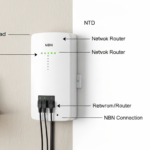
- You enter the new provider’s username and password into your modem (their email will have these)
- You restart the modem and the lights come back as green
Brief gap during the switch is normal — usually less than an hour. If you’re working from home, schedule the switch on a low-meeting day.
Step 7: Finalise things
Once you’re confirmed online with the new provider:
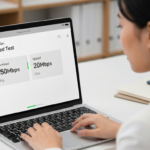
- Run a speed test — make sure you’re getting close to the plan’s max speed.
- Cancel your old provider — the new provider can sometimes handle this for you, but call your old provider to confirm. Make sure the final bill is correct.
- Return any borrowed equipment — modem, set-top box, etc.
- Update auto-pay — make sure the new provider is set to auto-pay if you want.
- Cancel any add-ons — VoIP, email, streaming bundles you no longer need.
Common issues when switching
Switch delayed
Sometimes the switch takes longer than 1–3 days, especially over weekends or public holidays. If you’re worried, call the new provider for a status update.
Speed is slower with the new provider
Run a speed test plugged into the modem with Ethernet. If wired speeds are still slow, the issue may be the new provider’s network or your line quality. Call them — they should investigate.
Wi-Fi setup is different
You’ll usually need to re-enter the new provider’s connection details into your modem (PPPoE username and password, or just plug in if the modem auto-configures). The provider’s welcome email has these details.
Old provider keeps billing me
Sometimes the old provider’s billing system doesn’t catch up immediately. Call them and confirm the cancellation date. If they double-bill, you’re entitled to a refund.
Switching NBN provider FAQ
Do I need an NBN technician to switch providers?
No. The switch is electronic — your physical NBN connection stays the same. Technicians are only needed if you’re changing connection type (e.g. upgrading from FTTN to FTTP), which is a separate process.
Will I lose my email if I switch?
If you use the provider’s email (yourname@telstra.com etc.), yes — you’ll lose it. Most providers let you keep your email for a small fee or transition period. Better to use a Gmail or Outlook address that’s independent of your ISP.
What about my landline?
If you have a VoIP landline through your NBN, the new provider can usually port your existing number. Tell them upfront — porting can add a few days to the switch.
Can I keep my modem?
Yes, if it’s a generic modem (not locked to a specific provider). You’ll just enter the new provider’s connection details. Modems that were given to you free are often locked — check with the manufacturer.
How often can I switch NBN providers?
As often as you like. Some people switch every 12 months to chase intro discounts. Most settle on a provider they like and stay.
Compare NBN plans
Ready to switch? Our best NBN plans page is updated monthly with the most competitive deals from Australian providers. Use the plan finder for a personalised match, or compare providers head-to-head.