Last updated: 22 August 2026
We get asked a lot of questions about NBN broadband in Australia, so here’s the comprehensive FAQ. The answers below cover the basics, availability, speed tiers, costs, switching providers, modems, and alternatives like 5G and Starlink. Each question is answered in plain English, and most link out to a deeper guide if you want more detail.
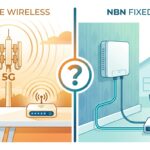
If you’ve got a question we haven’t answered, our broader NBN vs Broadband vs Wireless guide is the place to start.
NBN basics
What is the NBN?
The National Broadband Network (NBN) is Australia’s wholesale fibre and copper network that delivers internet to most homes and businesses. It’s owned and operated by NBN Co, a government owned company. NBN Co doesn’t sell directly to households. Instead, internet providers like Aussie Broadband, Telstra, Optus, Tangerine and others buy capacity from NBN Co and resell it to customers as retail plans.
What does NBN stand for?
National Broadband Network.
Who owns the NBN?
NBN Co Limited, which is wholly owned by the Australian Commonwealth Government. It’s been a government owned company since the network was first announced in 2009.
Is the NBN owned by Telstra?
No. Telstra is one of many providers that sells NBN services to customers, but the NBN itself is owned by NBN Co (a Government owned entity). Telstra leases capacity from NBN Co like every other retail provider.
Who paid for the NBN?
The Australian government. Total project cost reached around $57 billion by completion. The Commonwealth funded the build through equity and government guaranteed debt. NBN Co is now slowly paying that back as it earns revenue from internet providers using the network.
How does the NBN work?
The NBN consists of a fibre optic backbone running across Australia, connected to local distribution points. From those points, different technologies bring the connection the last leg to your house. Full fibre, fibre+copper, coaxial cable, fixed wireless, or satellite, depending on your address.
Availability and connection types
How do I check if NBN is available at my address?
Go to nbnco.com.au and use the “Check your address” tool. Enter your address and the result page will tell you which type of NBN connection your property has, whether it’s currently active, and what speed tiers are available.
What are the different types of NBN connections?
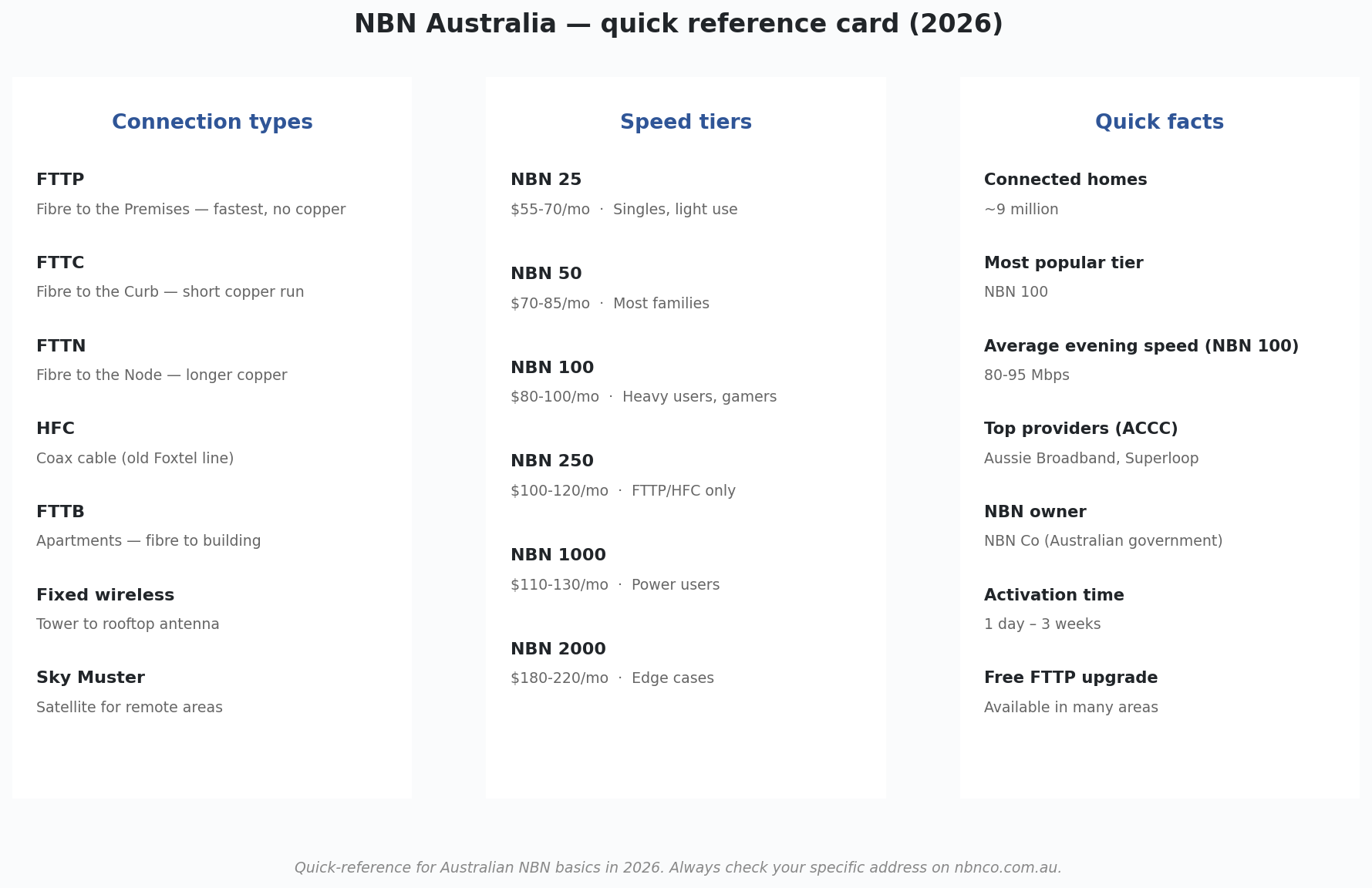
There are six main types: FTTP (Fibre to the Premises), FTTC (Fibre to the Curb), FTTN (Fibre to the Node), FTTB (Fibre to the Building), HFC (Hybrid Fibre Coaxial), fixed wireless, and Sky Muster satellite. Your address determines which one you have. You don’t get to choose. See our detailed NBN connection types guide with diagrams of each.
What’s the best NBN connection type?
FTTP is the best by a clear margin. Fibre all the way to your house, highest supported speeds, no copper. HFC is a close second. FTTC is third. FTTN and FTTB are limited by the copper section. Fixed wireless is good for regional, Sky Muster is the worst because of high latency.
Can I upgrade my NBN to FTTP for free?
In many cases, yes. NBN Co has been running a free FTTP upgrade program since 2020 for homes currently on FTTN, FTTC and some HFC connections. To activate the upgrade, you order a higher speed tier (NBN 100 or above) from your provider, and if your address is eligible NBN Co dispatches a technician to install the fibre at no cost to you. Check nbnco.com.au for eligibility.
Speeds
What NBN speed tiers are available?
Six standard tiers: NBN 25, 50, 100, 250, 1000 and 2000. Numbers refer to max download speed in Mbps. NBN 50 is the most subscribed tier in Australia and the right pick for most households. NBN 250, 1000 and 2000 are only available on FTTP and HFC connections. See our complete NBN plans guide for tier by tier detail.
What internet speed do I really need?
For most Australian homes (2–4 people), NBN 50 is plenty. NBN 25 works for one or two light users. NBN 100 is the right pick for larger households with multiple streams and gamers. Anything above NBN 100 is overkill unless you specifically need it. For more detail, see our what speed do you really need guide.
What’s a good NBN speed in 2026?
Anything 80 Mbps or higher in the evening is a good real world speed. The ACCC’s quarterly Measuring Broadband Australia report tracks typical evening speeds by provider. The better providers (Aussie Broadband, Superloop, Swoop) consistently deliver 90+ Mbps on NBN 100, while cheaper providers tend to sit closer to 75–85 Mbps in peak hours.
Is there a minimum speed guarantee?
Not at the NBN level. Speeds vary by connection type and provider. However, retail providers are required by the ACCC to publish their “typical evening speeds” for each plan, and most plans guarantee a minimum speed during peak hours. If you’re consistently getting much less than the typical evening speed, contact your provider for a line test.
Cost
How much does NBN cost in Australia?
NBN plans in 2026 typically run from about $55/month for an entry-level NBN 25 plan up to $130/month for NBN 1000. NBN 50 sits at $85–$97/month, NBN 100 at $80–$100/month. The cheapest options come from Tangerine, Exetel and SpinTel. Premium providers like Aussie Broadband and Telstra sit at the higher end.
What’s the cheapest unlimited NBN plan?
Tangerine, Exetel and SpinTel usually have the cheapest unlimited NBN plans, with NBN 25 starting around $55/month. See our 10 cheapest unlimited NBN plans guide for the current month’s specific prices.
Are there any additional costs beyond the monthly plan?
Some providers charge setup fees ($0–$149), modem fees ($0–$200 depending on whether you BYO), and the standard $0 NBN installation if a technician visit is needed. Watch for introductory pricing too. Many plans show a discounted rate for the first 6 months that then jumps to a higher ongoing rate.
Connecting and switching
How do I connect to the NBN?
Check your address on nbnco.com.au, pick a provider and plan, sign up, then either self-install (most existing connections) or wait for a technician visit (new builds). Activation takes 1–5 business days for already active properties, 1–2 weeks for inactive NBN-ready properties, and 2–3 weeks for new connections. Our step-by-step guide to connecting to the NBN covers the whole process.
How long does it take to get NBN connected?
1–5 business days if the property is already NBN-active. 1–2 weeks if it’s NBN-ready but not currently active. 2–3 weeks for new builds or properties that have never been connected. Sky Muster satellite installs take 2–4 weeks because a technician needs to install the dish.
Do I have to switch to the NBN?
If your property is NBN-ready, the answer is effectively yes. Telstra has progressively shut down ADSL across Australia as the NBN rolled out, so older internet options aren’t available anymore. The exceptions are 5G home wireless (a viable alternative to NBN for many homes) and Starlink (for rural).
Do I need a landline for the NBN?
No. NBN replaces the old copper phone network in most areas. If you want a home phone, most providers offer optional VoIP (Voice over IP) for around $10–$15/month, which uses your NBN connection. If you only use a mobile, you can skip the landline entirely.
How do I change NBN providers?
Sign up with the new provider. They’ll handle the cancellation with your old provider and the transfer with NBN Co. The switchover usually takes a few hours. Most NBN plans are month-to-month with no termination fee, so switching is fast and painless. See our step-by-step switching guide for the detail.
Can I keep my phone number when switching providers?
Yes if you have an existing landline number you want to port. Tell the new provider at sign-up. Some providers no longer offer landline service at all, so check first.
Renters and equipment
Can renters get the NBN?
Yes. The NBN connection belongs to the property, not the tenant. You just sign up with any provider. If the property is already NBN-active, activation is just paperwork. If it has never been connected, you may need landlord permission for the installation. Our internet for renters guide covers the renter specific stuff in detail.
Who pays for NBN — the landlord or the tenant?
The tenant. The internet plan is the tenant’s responsibility. Same as electricity or gas. The landlord doesn’t pay anything (and doesn’t receive the bill). The only thing the landlord needs to do is grant permission for a physical installation if the property has never been NBN-connected, which is rare in 2026.
What modem do I need for the NBN?
Depends on your connection type. FTTP, FTTC, HFC and fixed wireless need a modem with an Ethernet WAN port. Almost any modern Wi-Fi router. FTTN needs a modem with a built-in VDSL2 modem (more specific). Most providers offer a modem with their plans (free with contract or $99–$200 outright). See our BYO modem setup guide for the detail.
What is an NTD?
NTD stands for Network Termination Device. The white wall-mounted box that’s the boundary between NBN’s network and yours. Sometimes called the “NBN box”. Your modem plugs into the NTD. Different connection types have different looking NTDs but they all do the same job.
Providers and problems
What’s the best NBN provider in Australia?
According to the ACCC’s quarterly evening speed reports, Aussie Broadband, Superloop and Swoop consistently top the rankings. Aussie Broadband is the most highly rated for customer support too. For cheaper options, Tangerine and Exetel are reliable choices. See our how to compare NBN plans guide for more.
Are there any current NBN outages?
Check nbnco.com.au/support/network issues for current outages. You can also check your specific provider’s status page (Aussie Broadband, Telstra, Optus all have one). For step-by-step diagnosis of NBN problems, see our NBN outage diagnosis guide.
Why is my NBN slow?
Common causes: peak hour congestion at your provider (the biggest one), Wi-Fi issues, an old modem, too many devices, or a faulty line. Our why is my internet slow guide walks through the diagnosis step by step.
What do I do if my NBN keeps dropping out?
Restart your modem first (unplug 30 seconds, plug back in). If it keeps happening, contact your provider for a line test. NBN Co will dispatch a technician at no cost if there’s a fault. See our what to do if your NBN keeps dropping out guide.
Alternatives to NBN
Can I get internet without NBN?
Yes. Three real alternatives in 2026: 5G home wireless (Telstra, Optus, TPG, Vodafone, $59–$85/month, no installation, take with you portable), Starlink satellite (from $75/month + $599 hardware, available everywhere in Australia), and mobile broadband (4G/5G SIM in a small modem, $30–$60/month, capped data).
Is 5G better than NBN?
Sometimes. In strong 5G coverage areas, 5G home wireless can beat NBN 50 and NBN 100 on speed. NBN is more consistent because it’s a fixed line, 5G varies with tower load and weather. For most households, the NBN is the safer choice. See our 5G internet in Australia guide for the comparison.
Is Starlink better than the NBN?
For rural Australians without fixed-line NBN: yes, Starlink is much faster and has much better latency than Sky Muster satellite. For metro/suburban users with fixed-line NBN: no, NBN is cheaper and more consistent. See our Starlink vs NBN comparison for the broader question.
History and future
When was the NBN built?
The NBN project was announced in 2009 by the Rudd Labor government. Construction started in 2011, the rollout was substantially completed by 2020, and the network has been progressively upgraded since (the FTTP upgrade program from 2020, fixed wireless upgrade in 2023, and Sky Muster Plus Premium more recently).
Why did the NBN change from full fibre to mixed technology?
Original plan (2009) was for fibre to 93% of premises. After the 2013 election, the Coalition government changed the rollout to a “Multi-Technology Mix” using existing copper and HFC infrastructure to speed up the build and reduce upfront cost. The trade-off was lower speeds and reliability for FTTN/FTTC addresses. The ongoing FTTP upgrade program is now bringing many of those addresses up to full fibre.
What’s next for the NBN?
The free FTTP upgrade program is continuing. By 2026 around 2 million homes have been upgraded from FTTN to FTTP, with more coming. The new NBN 2000 speed tier rolled out to FTTP customers. Sky Muster Plus Premium for satellite users now offers up to 100 Mbps in eligible areas. Long-term, NBN Co has signalled further investment in fibre and removing remaining copper.
Got a question we didn’t cover? Start with our NBN vs Broadband vs Wireless hub or browse the full blog. To compare actual plans, use our NBN plan finder or side-by-side comparison.