Last updated: 22 August 2026
If you’ve just moved into uni housing, student accommodation, off-campus rental, sharehouse near campus, and you’re trying to sort out the internet, the most important rule is “no lock-in.” Semester contracts run six months. NBN lock-ins typically run twelve. Don’t tie yourself to twelve months of internet at an address you’ll leave in five.
The rest of this guide is a five-step playbook for getting connected fast. Whole thing should take less than a week from move-in day to streaming Netflix in 4K with your housemates.

Day 1 — Check what NBN is at your new address
Type your new address into nbn.com.au/check-your-address. You’ll get one of these answers:
- FTTP — fibre to your door. You can sign up to any speed tier, any provider.
- FTTC — fibre to the kerb pit outside. Probably get NBN 100, free upgrade to FTTP available.
- FTTB or FTTN — fibre to your building’s basement (or a node down the street). NBN 25 or 50 max in practice.
- HFC — cable internet. NBN 100 to 1000 available, decent speeds.
- Nothing — the address may be on a private fibre network (Opticomm, GigaComm). Your housing manager or strata will know.
If you’re moving into university managed accommodation (UNSW, Monash, Melbourne Uni residential colleges), the internet is usually already provided through the property. Check with the housing office before you sign up to anything yourself. Most residential colleges include internet in the room fee.
For private student rentals and off-campus sharehouses, you’ll sign up yourself. See our NBN connection types guide if any of the answers above are unfamiliar.
Day 2 — Pick a no-lock-in plan

Pick from the no-lock-in retailers below. Every plan here is month-to-month, $0 exit fee, can be cancelled any time. Skip Telstra, Optus and TPG bundles for a uni semester. Their 12-month and 24-month contracts come with exit fees you’ll pay when semester ends.
| Retailer | NBN 50 monthly | Lock-in? | Why for uni |
|---|---|---|---|
| Aussie Broadband | $95 | None | Best AU phone support, fast activation, no setup fee |
| Superloop | $69 intro / $89 ongoing | None | Cheap intro period, honest peak speeds, easy cancel |
| MATE | $70 intro / $90 ongoing | None | Marketed to students, simple billing, no install fees |
| Tangerine | $64.90 intro / $89.90 ongoing | None | Cheap intro, easy online signup |
| Dodo | $57.99 intro / $87.99 ongoing | None | Cheapest intro of this group |
If you’re on a tight budget and the housemates won’t go higher than NBN 50, the live list below shows the very cheapest current options:
For most uni-student sharehouses NBN 50 is the right tier. NBN 100 only matters if there are 4+ housemates streaming concurrently or someone games competitively. See our sharehouse NBN guide for the bandwidth maths.
Day 3 — Order and set up the modem
Ordering takes 5 minutes on the retailer’s website. You’ll need:
- Your new address exactly as it appears in the NBN database.
- A bank account or credit card in the account-holder’s name (whoever’s signing up).
- An Australian phone number for SMS verification.
- Driver licence or Medicare card for ID verification on most retailers.
If the connection already exists at the address (most apartment and sharehouse situations), service activates within 1 to 2 business days and a modem is couriered out for next-day delivery. If it’s a new connection (uncommon at a student rental), an NBN technician visit is scheduled within 7 to 14 days.
When the modem arrives: plug the power, plug the NBN cable from the wall socket, wait 5 minutes for the lights to settle, connect your phone to the Wi-Fi using the password printed on the back of the modem. Done. The detailed walk-through with photos is at BYO modem setup.
Day 4 — Run a speed test at 8pm
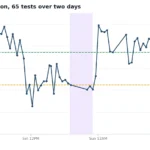
Speed tests during the day look amazing. Speed tests at 8pm tell the truth. Run a test on your laptop, connected to Wi-Fi, in the room you’ll mostly use the internet in. Aim for 80%+ of your plan tier in peak hour (40 Mbps+ on NBN 50, 80 Mbps+ on NBN 100). If you’re getting less, the issue is usually the retailer’s CVC headroom. Switch within the no-lock-in window.
Day 5 — Split the bill with housemates
If you’re sharing a place with other uni students, the bill split is its own minor drama. The standard approach: even split via Splitwise or Beem, one set monthly reminder on the calendar, account-holder pays the bill, housemates transfer their share on the 1st of the month. If one housemate is clearly using way more bandwidth (e.g. running Twitch streams), the heavy-user surcharge approach gets used. They pay $5-10 more.
The full sharehouse bill-splitting guide with the three different split methods is at our sharehouse NBN article. For uni students specifically, the keys are: pick a no-lock-in plan so the bill is easy to pause or transfer at semester’s end, and avoid putting it in the name of the housemate going home for summer.
If your semester is shorter than a typical NBN install
Exchange students and short-stay residents (3-month placements, six-week winter schools, single semester) often find that the NBN connection timeline is longer than their stay. Three alternatives that don’t require an install:
- 5G home wireless — Optus, TPG and Vodafone all do month-to-month 5G modems with no install. The modem ships next-day and you plug it in. Better than nothing, sometimes better than NBN if 5G coverage is strong at the address. See our 5G vs NBN guide.
- Mobile data tethering — for a 6-week stay, a 50GB+ data plan on your phone and tethering to your laptop is the simplest solution. $30-50 per month, no install.
- Pre-existing house connection — if the share house already has NBN running, just put yourself on the existing plan and pay your share. No install at all.
When semester ends — what to do with the connection
Three options at semester’s end:
- Cancel — call the retailer, give them 5 business days’ notice, plan stops at end of the current billing period. No exit fee because you picked no-lock-in.
- Transfer to another housemate — if you’re moving out but the house stays, the account transfers to whoever is staying. One phone call, no service interruption.
- Move it to your next address — if you’re moving to another rental in the same city, every no-lock-in retailer offers a free move-house transfer. Schedule it 1-2 weeks ahead of your moving date. See our switching guide.
Common uni-student NBN questions
What’s the cheapest NBN plan for a uni student?
Dodo and Tangerine are the cheapest no-lock-in options, $58-65 a month for NBN 50 on the intro period. Both ongoing prices climb to about $88-90. MATE markets specifically to students at $70 intro and $90 ongoing. Don’t take any plan over $80 a month for NBN 50 in 2026, you’re overpaying.
Can I use my mum and dad’s NBN account at uni?
The account is tied to a specific address, so you can’t share it across cities. But you can have your parents sign up for the plan in your name at your uni address, paying from their card. Works fine as long as the address and account-holder name match.
Is there a student discount on NBN plans?
Not really. No NBN retailer has a formal student discount. The closest things are MATE’s student-marketed pricing, Aussie Broadband’s no contract no setup fee model, and the School Student Broadband Initiative (SSBI) for under-18 students whose families qualify on income grounds. For typical uni students, the right play is just picking the cheapest no-lock-in plan, not chasing a discount.
Do I need a modem if my uni housing already has one?
No. If the house has an active NBN connection with a modem, you join that connection. You don’t need a separate plan. Check with the head tenant or the housing manager before you sign anything yourself.
What if I’m only at uni for a 6-month semester?
No-lock-in NBN plan from Aussie Broadband, Superloop, MATE, or Tangerine. Cancel at end of semester, no exit fee. Total cost for NBN 50 over 6 months at typical pricing: $440-470, depending on whether you took an intro deal.
Can I sign up for NBN if I’m an international student?
Yes. You need an Australian phone number, an Australian bank account (some retailers accept foreign cards), and a passport or visa as ID. Aussie Broadband, MATE, and Tangerine all accept international students; some retailers require you to be in Australia for 6+ months. See our international students NBN guide for the full breakdown.
Related reading
- Sharehouse NBN in Australia — bill-splitting, bandwidth-hog fix, account transfer when someone moves out.
- Best Internet for Renters in Australia — for the private off-campus rental.
- Cheapest unlimited NBN plans — the always-current top 10 picks.
- BYO Modem Setup for NBN — the modem walk-through.
- How to switch NBN providers — for semester-end and move-out.
- NBN for international students — if you’re studying in Australia from overseas.