Last updated: 22 August 2026
If you live in an apartment in Australia, the single most useful thing you can do before signing up to any internet plan is find out what physical connection runs into your building. Until you know that, every “best NBN plan” article you read is guessing, because apartments don’t all get the same speeds, the same providers, or the same upgrade options. Some units already have fibre to the door. Some are still on copper from the basement. Some sit on a private network that doesn’t appear on nbn.com.au at all.
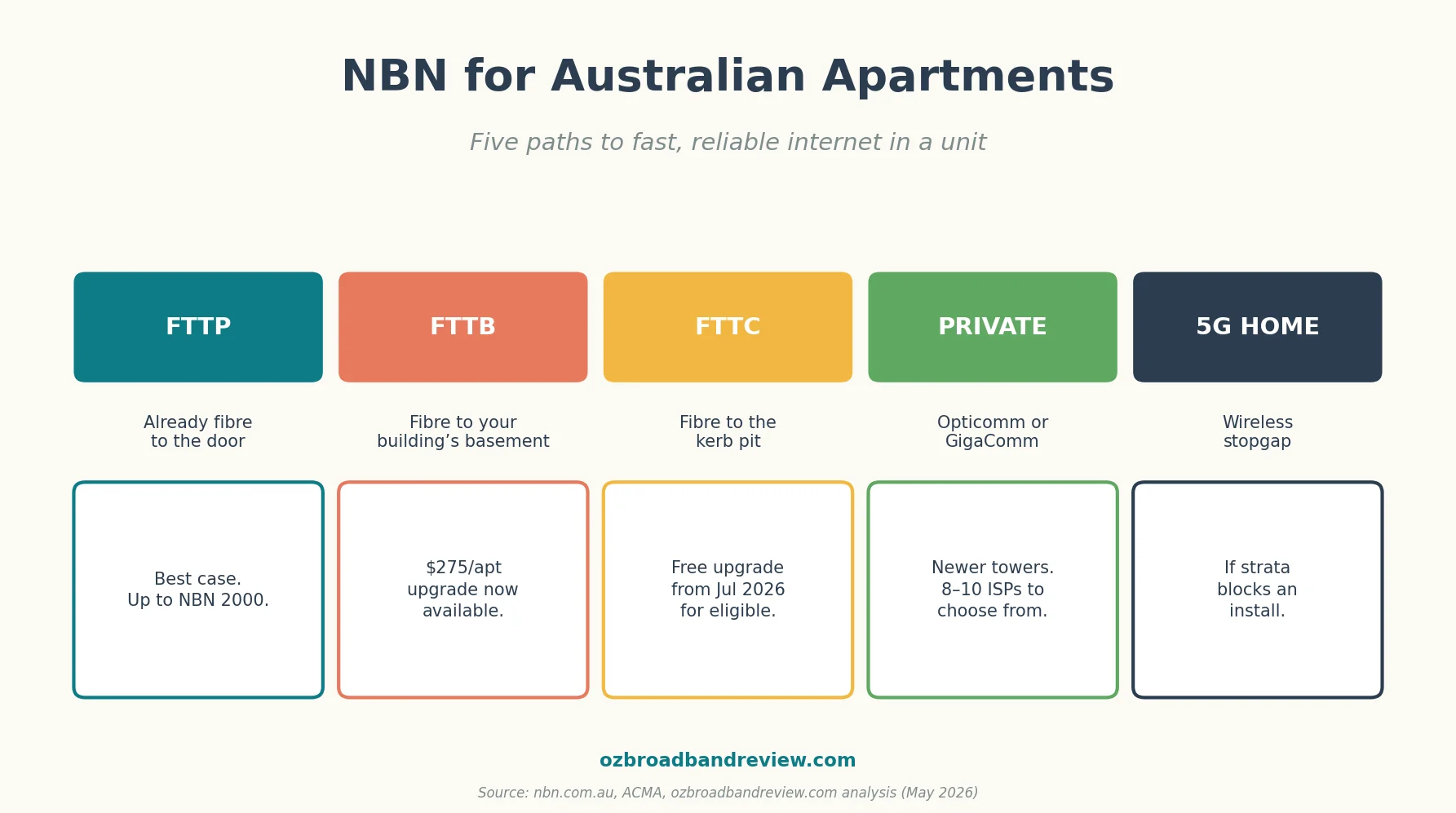
This article walks through the five paths an Australian apartment can take to fast, reliable internet in 2026, including the new $275 whole building FTTP upgrade, the free FTTC-to-FTTP rule change in July, and the private fibre networks that own a lot of newer towers. The aim is to get you from “I don’t know what my building has” to “I’ve signed up to the right plan” in about a week.
Step 1: find out what your building actually has
Go to nbn.com.au/check-your-address and type your unit number. The page will tell you one of five things. Read the result carefully. Building lookups can lag by months, so if the answer surprises you, ring your strata manager or building manager to confirm before you make any decision.

If the address checker shows nothing or returns an error, that’s usually one of three things: your building is on a private fibre network (covered later in this article), your apartment is brand new and not yet in the database, or the checker has the wrong building footprint. In all three cases the next step is a phone call to your strata manager.
Path A — you’re already on FTTP
This is the simplest case. If the address checker shows fibre to the premises, fibre has been run all the way from the street into your unit and terminates at an NBN Connection Box on a wall somewhere, usually a cupboard, hallway, or laundry. You can sign up to any NBN plan from any retailer, up to NBN 2000 if your building’s run is the right grade.
The only thing worth checking before you sign anything: is the wall socket where your router currently sits close enough to the NBN box? In apartments the box is sometimes installed by the developer in a spot that wasn’t designed for a router, so you may need a long Ethernet run or a mesh node in the lounge. See our NBN box explainer for what the box looks like and what those lights mean.
Plan recommendation: NBN 100 is the sweet spot for a single-person or couple apartment, NBN 250 if you’ve got more than one person streaming or working from home at the same time, NBN 500 or 1000 only if you genuinely need it. The upgrade from 100 to 500 noticeably changes nothing for most apartment sized homes.
Path B — you’re on FTTB and the $275 fix is now available
Fibre to the Building means fibre runs to a node in your basement, then ageing copper runs from that node up through the risers into individual units. It was a 2014 compromise designed to get apartments connected fast without redoing the in-building wiring, and it’s the connection type that frustrates the most apartment dwellers. Congested copper, NBN 25 or 50 ceilings in practice, no NBN 100+ even if your retailer sells it.
The news for 2026 is that NBN Co has formally opened up its whole building FTTP upgrade programme to FTTB strata. The cost is $275 per apartment, paid by the body corporate, and the building gets upgraded all at once. Compare that to the legacy individual upgrade price of around $10,500 per unit and the maths is dramatic.

NBN Co is targeting 50,000 strata buildings nationwide, which is roughly 700,000 apartments. If your building isn’t on the list yet, you can express interest via the address checker and the building gets queued for assessment. The catch: the body corp has to opt in for the whole building. Individual apartment owners can’t pay $275 and unilaterally get FTTP into their unit. It’s a strata level decision, and getting it through a body corporate meeting is the work.
What to say at the next body corp meeting
If you want to push for the upgrade, three lines that work on most committees: it’s a one-off $275 per unit, not an ongoing charge; it’s optional for residents who don’t want a new connection (they keep the old service running); and it lifts every apartment’s potential resale value because the building goes from FTTB on the property listing to FTTP. The third point is the one that lands with owner-investors who don’t live in the building.
In the meantime, if you’re stuck on FTTB and need internet now, NBN 50 from a smaller retailer (Aussie Broadband, Superloop, Tangerine) usually gives you better evening speeds than the same plan from the big three, because the smaller retailers tend to buy more CVC headroom per customer. The ceiling is still the copper, but you can at least get closer to it.
Path C — you’re on FTTC and the upgrade is free
FTTC apartments have fibre to a pit on the kerb outside the building, then a much shorter copper run inside. Speeds are usually better than FTTB but you’re still on copper for the last hop. The good news for FTTC apartments: NBN Co has been offering a free FTTP upgrade for years, with one condition. You had to order an NBN 100 or higher plan to qualify.
From July 2026 that condition is being relaxed. Any FTTC apartment will be eligible for the free upgrade regardless of the plan you’re on. If you’ve been holding off because you don’t need NBN 100, July is when the maths changes for you.
The mechanics: you order the plan, the retailer flags the upgrade with NBN, an installer turns up at your apartment and runs fibre from the pit through your wall and to a new connection box inside the unit. The whole thing usually takes two to four weeks from ordering to install. No body corp meeting required for FTTC. The work is done at your apartment, not in the basement.
Path D — your building is on Opticomm or another private network
Plenty of newer apartment towers, retirement villages, and master-planned estates aren’t on the NBN at all. They’re on a private fibre network that the developer signed up when the building went in. The two big names are Opticomm (which absorbed LBNCo back in 2021 and now runs most of the major capital private fibre builds outside Tasmania) and GigaComm (Sydney and Melbourne, growing fast in inner city apartments).
If the NBN address checker returns nothing for your unit, this is the most likely reason. The owner of the network appears on the building’s strata documents. Your strata manager will know. Once you’ve confirmed which network you’re on, the next step is to check the retailer list. Private networks don’t share the NBN’s 100+ retailer panel; each one has its own list, typically eight to ten ISPs.
| Private network | Where you’ll find it | Typical retailers |
|---|---|---|
| Opticomm (incl. former LBNCo) | Most capital cities + regional, ex Tasmania. New developments, master-planned estates, retirement villages. | Aussie Broadband, Superloop, MyRepublic, Spirit, OneNet, Origin |
| GigaComm | Sydney + Melbourne inner-city apartment towers. Uses fibre + mmWave to building, G.fast inside. | GigaComm direct (own retailer) |
| Vision Network | Newer estates in QLD + VIC + NSW | Several local retailers |
| Telstra Velocity | Older estates, legacy. Telstra is winding it down. | Telstra (effectively the only option) |
Pricing on private networks is usually competitive with NBN for the equivalent speed tier, sometimes a little cheaper, sometimes a little dearer. The bigger difference is choice: if you’re on Telstra Velocity you’re pretty much stuck with Telstra; if you’re on Opticomm you’ll have eight or so retailers to compare. Worth ringing two or three to ask about evening speeds and unlimited data before signing.
Path E — when strata won’t budge: 5G home wireless
This is the path you take if your building is stuck on copper, the body corp won’t approve an upgrade, the landlord won’t approve an install, or you’re on a short lease and don’t want to pay for connection drama you’ll leave behind. 5G home wireless from Optus, TPG, or Vodafone bypasses the entire NBN question. A small modem sits in your apartment, talks to a nearby 5G tower, and you have internet.
The catch: 5G coverage indoors is patchy. Towers reach high floors well, lower floors of dense suburbs less well, and concrete and steel buildings absorb signal. All three providers offer a 14- to 30-day money-back guarantee. Order, plug it in for a week, and if the speeds aren’t there, send it back. Don’t sign anything that locks you in before you’ve actually tested the unit in the room your router will live in.
For renters specifically, 5G home wireless is also one of the answers in our best internet for renters piece. If you’re moving in the next 12 months, the no install argument alone usually wins.
The strata + landlord permission conversation
The bit of buying internet in an apartment that catches people out is permission. NBN Co rules say a retailer can install service to your unit without strata permission for most connection types, but in practice, anything involving running new cable inside a building requires the strata manager’s go ahead, and anything new in the basement (a node, a hub, a junction box) goes to a body corp meeting.
- Existing NBN connection inside the unit? You can switch retailers without telling strata.
- FTTC-to-FTTP upgrade (fibre into your unit only)? Strata is usually informed but doesn’t need to approve.
- Whole-building FTTB-to-FTTP upgrade? Body corp vote required.
- New private fibre connection in a building that doesn’t have one? Body corp vote required.
- 5G home wireless modem? No strata involvement at all — it’s a plug-in box.
- You’re renting? Landlord permission is needed for any install that drills, screws, or adds wiring. Most landlords say yes for a free upgrade.
Cheapest current apartment-ready plans
The live list below pulls the current cheapest unlimited NBN plans we’ve reviewed. Most apartments will land on NBN 50 or 100. Anything above that is overkill unless you have multiple heavy users sharing the connection. Plans update in real time as providers change pricing.
Apartment Wi-Fi: concrete walls, mesh, and where to put the router
The single biggest practical difference between Wi-Fi in a house and Wi-Fi in an apartment is that apartments are usually built with concrete walls and ceilings, and concrete absorbs signal. A router that gives whole house coverage in a freestanding home can struggle to reach the bedroom in a two-bedder apartment.
- Centre the router in the apartment if you can. Most NBN installs put the connection box in a hallway cupboard or the laundry — that’s usually fine, just don’t tuck the router behind the box. Move it to the most central spot you can run an Ethernet cable to.
- Mesh, not extenders. A two-node mesh kit ($150 to $300) is the right answer for almost every apartment over 80 square metres. Wi-Fi extenders sound cheaper but they cut your speed in half and they’re the most common cause of “the Wi-Fi is slow in the bedroom” complaints we hear.
- Use the 6 GHz band if your devices support it. Wi-Fi 6E and Wi-Fi 7 routers add a new band that other apartments’ routers don’t sit on yet, so you get less interference. Worth it if you’re buying a new router anyway.
- Channel selection matters in dense buildings. In a 30-unit apartment block, your router and your neighbours’ routers are all fighting for the same handful of 2.4 GHz channels. Most modern routers auto-pick; if yours doesn’t, look at apps like WiFi Analyzer to find the least-crowded channel.
The wider Wi-Fi diagnostic guide is at why is my Wi-Fi so slow. Most of the apartment specific advice in there applies regardless of which of the five paths you ended up on.
Run a speed test before you decide anything
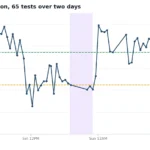
If you’ve already got an internet connection in your apartment, run a speed test on it before you go shopping. Knowing what you currently get is more useful than knowing what the plan claims. Test at 8pm on a weeknight (evening peak). That’s when you’ll see the real ceiling, not the marketing number.
Common apartment NBN questions
How do I find out if my apartment is FTTB, FTTC, or FTTP?
Type your unit address into the checker at nbn.com.au/check-your-address. The result page lists the connection type for your specific apartment. If it doesn’t show anything, your building is probably on a private network (Opticomm, GigaComm, Vision Network) and your strata manager will know which one.
Can I get fibre installed in my apartment without strata approval?
Only for an FTTC-to-FTTP upgrade, where the work is inside your unit. For FTTB-to-FTTP (which requires work in the basement and risers) the body corp has to vote. For a brand-new private fibre install in a building that doesn’t have one, the body corp also has to vote.
How much does the FTTP upgrade for apartments cost?
$275 per apartment under the new whole building programme, paid by the body corporate at the time of the upgrade. The legacy individual apartment FTTB-to-FTTP cost was around $10,500. FTTC-to-FTTP for an individual apartment remains free for eligible customers.
Who pays for the FTTB upgrade — me or the body corp?
The body corporate. The cost is usually split across all owners as a one-off levy ($275 each in a typical building). Some buildings choose to fund it from the sinking fund instead, which means existing reserves cover it and there’s no individual levy.
Will my apartment value go up if the building gets FTTP?
Probably yes. At least in the way that property listings advertise NBN connection type. Apartments listed as FTTP attract more interest from buyers who work from home, stream a lot, or have kids gaming, and the building goes from being a connectivity negative in listing copy to a positive. The $275 cost is small compared to that effect across an entire complex.
My building is on Opticomm. Can I switch to NBN?
Generally no. When a building is built on a private fibre network, the developer signed an exclusivity arrangement that runs for the life of the network’s installation contract, usually decades. You can use 5G home wireless as an alternative if you’re not happy with the private network’s retailers, but you can’t switch the building’s underlying connection.
Does 5G home wireless work on a 15th-floor apartment?
Often very well. High floors have a clearer line of sight to nearby 5G towers than ground-floor apartments. Optus and TPG both offer free trials so you can test in your specific room before committing. Move the modem near a window if signal is weak.
If I rent an apartment, can I order an NBN connection?
Yes. Connecting to an existing NBN service requires no permission. Installing a new line into an apartment that doesn’t currently have one requires landlord and (sometimes) strata approval, because it involves drilling and cable runs. Most landlords say yes for a free upgrade; few do for an install that the tenant pays for then leaves behind.
My apartment is brand new and isn’t on the NBN map yet — what do I do?
New developments often take six to twelve months to appear in the NBN’s database after handover. In the meantime, your apartment is probably on a private fibre network the developer commissioned. The building’s strata documents or the original sales agreement will list the network provider. Sign up through one of that network’s retailers, not through NBN.
What’s the realistic timeline from “I want to upgrade” to “fibre is in my apartment”?
FTTC-to-FTTP individual upgrade: two to four weeks. FTTB-to-FTTP whole building upgrade: three to six months from the body corp vote to the install date, because NBN Co schedules buildings in batches. 5G home wireless: one to three business days from order to delivery, you set up the modem yourself.
Related reading
- NBN vs Broadband vs Wireless: the Complete Australian Guide — the broader cluster hub.
- Types of NBN Connections Explained — deeper detail on FTTP, FTTC, FTTN, HFC, and FTTB.
- What Is the NBN Box? — the box on your wall, what the lights mean, how to debug it.
- BYO Modem Setup for NBN — what router to put behind the connection.
- FTTP Connection Box Setup Guide — for when the upgrade lands.
- Best Internet for Renters in Australia — overlapping advice if you’re renting in the apartment.
- Best NBN for Families in Australia, useful if you’re comparing apartment setups against a house with kids.