Last updated: 22 August 2026
Working from home is no longer a workplace experiment. It’s how a big chunk of Australians get their jobs done. Full days of Teams and Zoom video calls, large files going back and forth from SharePoint and Drive, screen-sharing during client meetings. Your home internet plan has to keep up, or you become the person whose voice keeps cutting out on stand-up.
This guide cuts through the marketing and tells you which NBN plans actually work for working from home in 2026, plus when 5G home wireless is a viable alternative. There’s a TL;DR up top with the 30-second answer for most households.
TL;DR — the quick answer
- Working from home 1-3 days a week, 1 person, normal Zoom load: NBN 50 with unlimited data. Around $85-97/month.
- Full time work from home, regular video calls: NBN 50 minimum, NBN 100 if you have multiple people or do heavy uploads (cloud backup, video editing). $85-100/month.
- Two or more people working from home simultaneously: NBN 100 unlimited. Around $85-110/month from the better providers.
- Provider matters as much as plan: per the ACCC’s Measuring Broadband Australia report, Aussie Broadband, Superloop and Swoop consistently deliver the highest evening speeds and the most reliable video-call performance.
How fast does your internet need to be for working from home?
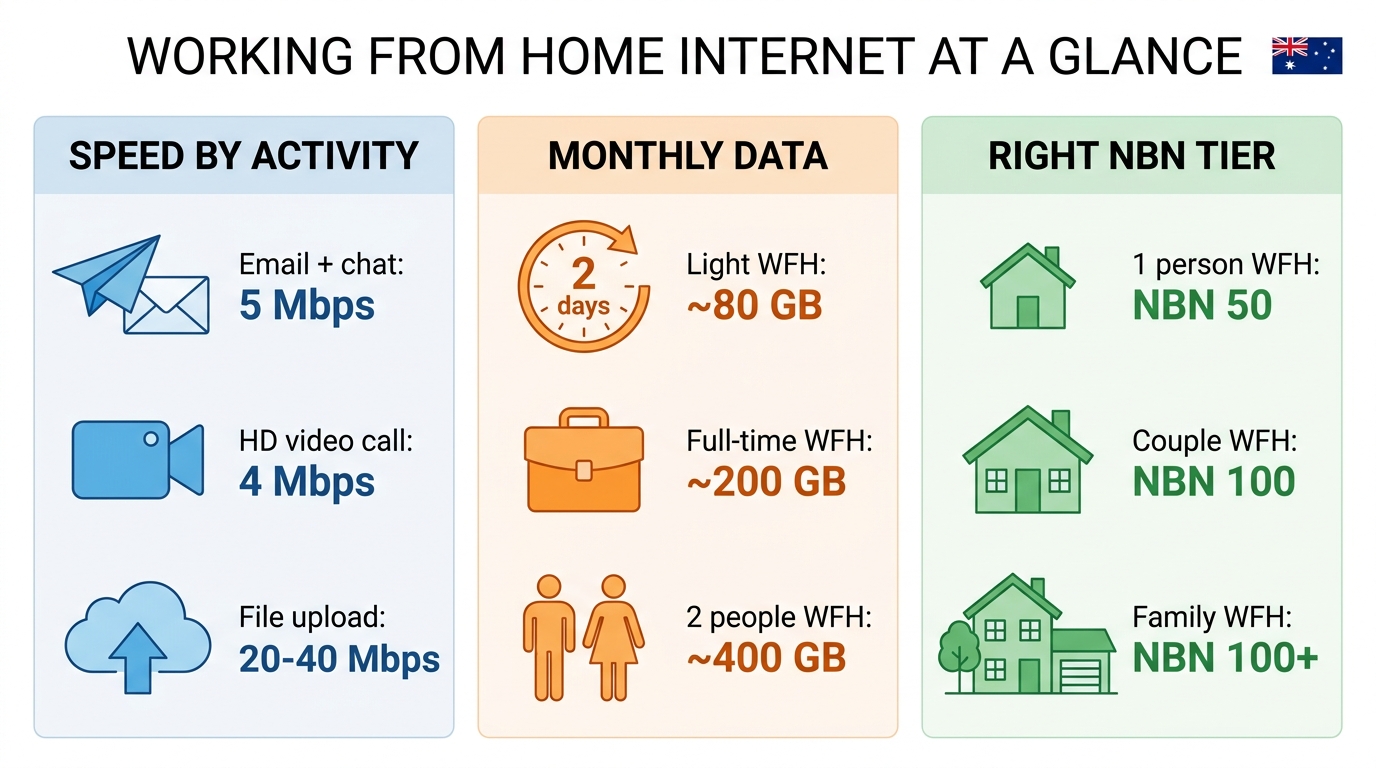
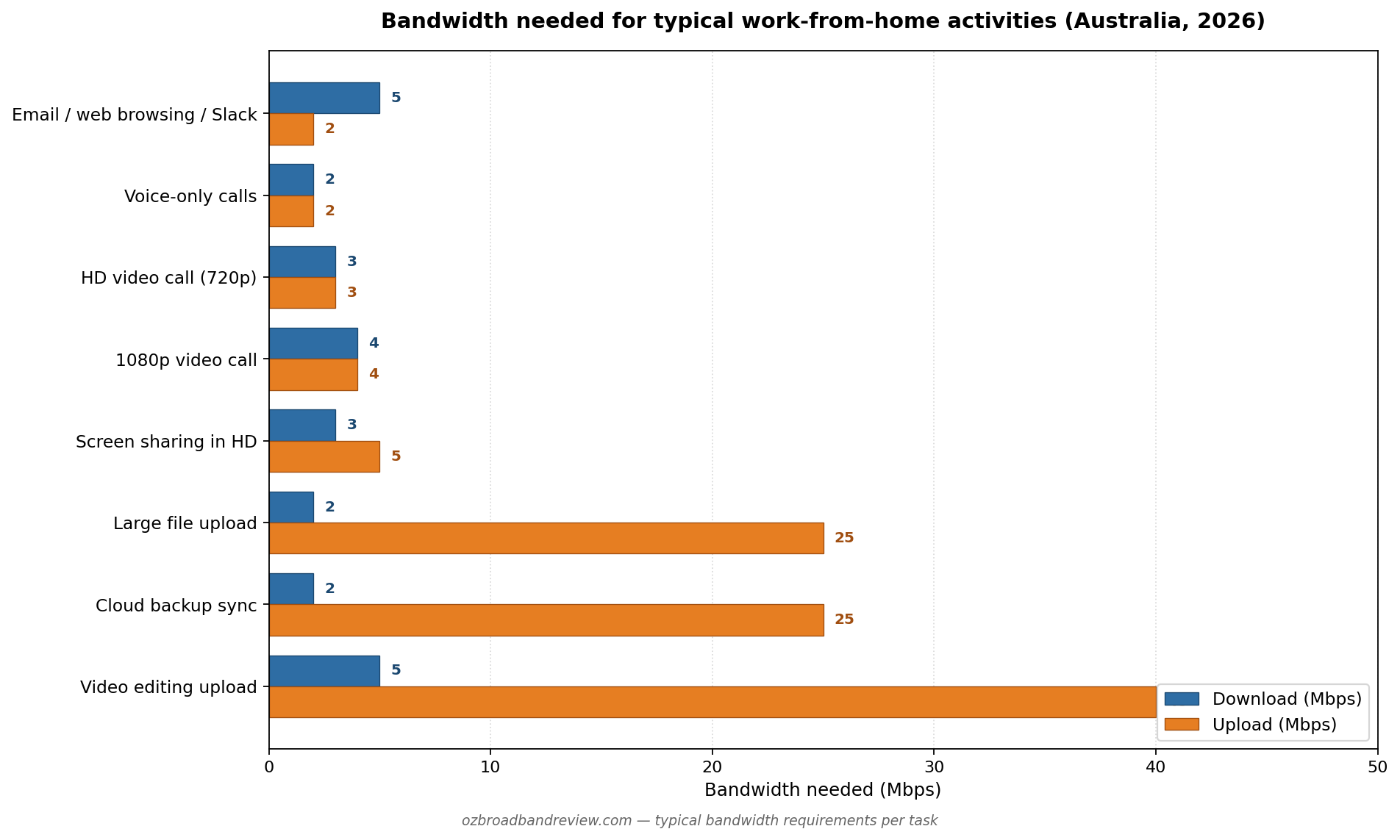
The answer in 2026 is different from the answer in 2022. The modern WFH baseline isn’t just email and the occasional video call. It’s full days of Teams or Zoom in HD, plus everyone in the family doing their thing on the same connection at the same time. Here’s what each activity actually demands:
| WFH activity | Download needed | Upload needed |
|---|---|---|
| Email, web browsing, Slack messaging | 5 Mbps | 2 Mbps |
| Voice-only calls (Teams Phone, Zoom audio) | 2 Mbps | 2 Mbps |
| HD video call (Teams or Zoom, 720p) | 3 Mbps | 3 Mbps |
| 1080p video call (Teams Premium / Zoom HD) | 4 Mbps | 4 Mbps |
| Screen sharing in HD | 3 Mbps | 5 Mbps |
| Large file upload (1 GB to SharePoint / Drive) | 2 Mbps | 10-25 Mbps |
| Cloud backup (Backblaze, OneDrive sync) | 2 Mbps | 5-25 Mbps |
| Video editing (uploading rendered files) | 5 Mbps | 20-40 Mbps |
Upload speed matters more for work than download. Almost everything you do for a job, sending files, joining video calls, sharing your screen, depends on upload bandwidth. Choosing an NBN plan with decent upload (NBN 50 with 20 Mbps upload, NBN 100 with 40 Mbps upload) is more important than chasing the highest download number.
For the deeper technical breakdown by job type, see our internet speed for working from home guide.
How much data does working from home use?
Working from home is a lot more data hungry than people realise, mostly because of video calls. Per hour data use:
| Activity | Data per hour |
|---|---|
| Email and Slack messaging | ~20 MB |
| Web browsing | ~100 MB |
| Voice-only calls | ~60 MB |
| HD video call (Teams / Zoom) | ~1.0 GB |
| 1080p video call | ~1.6 GB |
| Screen sharing in HD | ~1.5 GB |
| Cloud backup or large file upload | highly variable (2-10 GB during sync bursts) |
Monthly data needed by WFH scenario
| WFH pattern | Daily video call hours | Monthly data (work alone) | Monthly data (with household streaming/gaming) |
|---|---|---|---|
| 2 days/week, light meetings | 1-2 hrs | ~15 GB | ~80 GB |
| 2 days/week, heavy meetings | 5-6 hrs | ~80 GB | ~150 GB |
| Full time WFH, light meetings | 1-2 hrs | ~35 GB | ~200 GB |
| Full time WFH, heavy meetings | 5-6 hrs | ~190 GB | ~400 GB |
| 2 people WFH full time, heavy | 10+ hrs combined | ~380 GB | ~700 GB |
The good news: almost every NBN and 5G home wireless plan in Australia in 2026 is unlimited data as standard. Capped plans still exist but they’re niche. For all practical purposes you can ignore the data figure when choosing a plan, just confirm the plan says “unlimited” and you’re done.
Why ping matters for video calls
Ping (or latency) is the delay between your video call sending a packet and the other person’s call receiving it. High ping is what causes those awkward overlapping moments where two people start talking at the same time because the audio took too long to arrive. It’s the most underrated metric for working from home.
| Ping | Video call quality | Typical connection type |
|---|---|---|
| < 15 ms | Excellent — no perceptible lag | NBN FTTP on local routes |
| 15-30 ms | Great — natural conversation flow | NBN FTTP / HFC |
| 30-50 ms | Good — minor awkwardness | NBN FTTC / FTTN / 5G home wireless |
| 50-100 ms | OK — occasional talking-over | 4G home wireless, congested NBN |
| > 100 ms | Bad — frequent interruption issues | Sky Muster, very congested networks |
If you’re on FTTP or HFC, ping is generally not your problem. If you’re on FTTN copper or 5G home wireless and consistently hit 50+ ms, that’s the layer to fix before throwing more bandwidth at the problem.
The best NBN plans for working from home — 2026 picks
Based on the analysis above, here’s the matched plan for each household profile:
| Household | NBN tier | Why |
|---|---|---|
| 1 person, occasional WFH (1-2 days/week) | NBN 50 | Plenty of headroom for HD video calls + normal household use |
| 1 person, full-time WFH | NBN 50 | NBN 50 covers full-day video calls comfortably |
| 2 people WFH, both full-time | NBN 100 | Two concurrent video calls + cloud sync needs the upload headroom |
| Heavy uploaders (video editors, dev teams, photographers) | NBN 100 or NBN 250 | 40+ Mbps upload becomes the deciding factor |
| Family of 4+ with kids streaming during your call | NBN 100 | Background traffic eats into your call quality otherwise |
The other half of the equation is which provider. The ACCC’s quarterly Measuring Broadband Australia report tracks typical evening speeds by provider. For WFH, the providers that consistently deliver close to their advertised speed (and have responsive support when something goes wrong) are Aussie Broadband, Superloop and Swoop. For cheaper options, Tangerine and Exetel are reliable choices.
For the wider field beyond these WFH picks, our best NBN plans page covers every speed tier, updated daily from our database.
Test your speed before you upgrade your plan
Before you spend more on a faster plan, run a speed test on a wired Ethernet connection. Your problem might be Wi-Fi, your modem, or peak hour congestion at your current provider rather than insufficient plan speed.
Can I work from home on 5G home wireless?
Yes, with caveats. 5G home wireless plans from Telstra, Optus and TPG/Vodafone routinely deliver 100-300 Mbps in good coverage areas. Easily enough for HD video calls. The trade-offs:
- Latency is higher than fixed-line NBN. 5G typically sits 15-30 ms vs NBN FTTP at 5-15 ms. Generally fine for video calls, occasionally noticeable.
- Speed varies with tower load. The fast morning speed can drop 30-50% during evening peak as more people on the same tower hit the network. If you do work-from-home calls in the evening (different timezones), this matters.
- Weather affects it. Heavy rain can knock 20-50% off a marginal 5G signal.
- The upside: portability and no install. Pull the modem out of the box, plug it in, you’re working. Useful if you move often.
For the full comparison see our 5G home wireless vs NBN guide.
Best 5G and 4G wireless plans for WFH
Common WFH internet problems and how to fix them
- My voice keeps cutting out on Teams/Zoom. Almost always a Wi-Fi issue. Move closer to the router, or run Ethernet to your desk. Failing that, switch the meeting to “audio only” mode.
- Calls are fine in the morning, terrible in the evening. Peak-hour congestion at your provider. Switching to a provider with better evening speeds (Aussie Broadband, Superloop, Swoop) is the proven fix.
- Screen sharing freezes the other person. Your upload is the bottleneck. Either upgrade to a plan with more upload (NBN 100 has ~40 Mbps upload vs NBN 50’s ~20 Mbps), or close everything else that’s using upload at the same time.
- I work for a corporate VPN and it’s slow. VPNs add their own latency overhead and route your traffic through the corporate gateway. Test with VPN on and off — if there’s a big gap, raise it with your IT team rather than your ISP.
Frequently asked questions
What’s the best internet for working from home in Australia?
NBN 50 from a quality provider is the sweet spot for most Australians working from home. It comfortably handles HD video calls, cloud sync and concurrent household use, and costs $80-95/month from the better providers (Aussie Broadband, Superloop, Tangerine, Exetel). Step up to NBN 100 if you have two or more people working from home simultaneously, or if you regularly upload large files.
Is 50 Mbps enough for working from home?
For one person yes, comfortably. NBN 50 typically delivers 47 Mbps in evening peak with around 20 Mbps upload. That’s enough for HD video calls (which need ~4 Mbps), cloud sync (variable but mostly fine), and a partner streaming Netflix in the next room. For two people working simultaneously with heavy video calls, NBN 100 is the safer choice.
What’s the best NBN provider for working from home?
By the ACCC’s quarterly Measuring Broadband Australia report, the top three on real world evening speeds are Aussie Broadband, Superloop and Swoop. All three consistently deliver close to their advertised speeds and have Australian based support that responds when you need a fault fixed quickly (which matters when you can’t get on a call). For cheaper options that still perform well, Tangerine and Exetel are reliable choices.
How much upload speed do I need for video calls?
HD video calls need around 3-4 Mbps upload per stream. Most NBN plans give you 20-40 Mbps upload which is plenty for one or two concurrent calls. Where it becomes a problem is heavy uploaders. If you regularly send large files (video editing, design files, code commits), look for plans with at least 20 Mbps upload (NBN 50 minimum) and ideally 40 Mbps (NBN 100).
How much data does a typical WFH day use?
Around 2-4 GB on a normal day with a couple of hours of HD video calls. A day with full back-to-back video meetings can easily hit 10 GB. Almost every modern NBN plan is unlimited so this rarely matters in practice. Only relevant if you’re on mobile broadband with a data cap.
Can I work from home with 5G home wireless?
Yes for most jobs. 5G home wireless from Telstra, Optus and TPG/Vodafone delivers 100-300 Mbps in good coverage areas. Latency sits around 15-30 ms which is fine for video calls. Two concerns to weigh: 5G speeds can drop during evening peak as the tower fills up, and speeds vary with weather. For jobs with constant video calls + cloud sync, NBN on fibre is more consistent. See our 5G vs NBN comparison for the full picture.
Is Aussie Broadband good for working from home?
Yes. Aussie Broadband consistently tops the ACCC’s evening speed rankings and has Australian based support that handles WFH faults effectively. It’s more expensive than the bulk providers (Aussie’s NBN 50 is $95/month, against 6-month intro deals in the $60s from Tangerine or Superloop) but the reliability premium is worth it for people whose job depends on the connection.
What’s better for WFH — NBN 50 or NBN 100?
For one person, NBN 50 is enough and the extra $20/month for NBN 100 is hard to justify. For two people working from home simultaneously, or one person doing heavy uploads (cloud backup, video editing, frequent screen-shares), NBN 100 is worth it for the upload headroom alone (40 Mbps vs NBN 50’s 20 Mbps).
Should I switch providers if my video calls keep dropping?
First diagnose. Run a speed test on Ethernet at morning and evening (use our speed test). If your speed is fine but calls still drop, the problem is Wi-Fi or your modem, not the provider. If your speed is well below your plan in the evening but fine in the morning, that’s classic peak hour congestion and switching providers (specifically to Aussie Broadband, Superloop or Swoop) will help. If your speed is consistently below your plan all day, ring your provider, there may be a line fault.
How do I improve my WFH internet without switching plans?
Three high-impact changes in order: (1) run Ethernet from your modem to your desk if you can. Eliminates Wi-Fi as the bottleneck. (2) Put your desk in the same room as your modem if Ethernet isn’t possible. (3) Restart your modem weekly. About half of “slow internet” complaints turn out to be Wi-Fi or modem issues, not plan or provider issues.
Related guides
- Internet speed for working from home — the technical deep-dive on speed requirements
- Test your internet speed — free tool + how to read your results
- How to compare NBN plans — the buyer’s framework
- 5G home wireless vs NBN — when each makes sense
- NBN provider contact numbers — for when you need support
- NBN FAQ — common NBN questions answered