Last updated: 17 May 2026
Stan is one of Australia’s biggest streaming services, 2.3 million subscribers, a deep local + international catalogue, and pricing that’s still competitive against Netflix and Disney+. If you’re signing up (or already a subscriber and your stream keeps buffering), here’s the practical guide: current plans and prices, how fast your internet needs to be, how much data Stan uses, how many devices you can stream on, and what to do when buffering won’t quit.
Stan plans and prices (Australia, 2026)
| Plan | Monthly price | Video quality | Concurrent streams | Downloads |
|---|---|---|---|---|
| Basic | $12 | SD (480p) | 1 | 1 device |
| Standard | $17 | HD (1080p) | 3 | 3 devices |
| Premium | $22 | 4K UHD + HDR | 4 | 5 devices |
| Stan Sport add-on | +$15 | — | — | Add to any base plan |
The Premium plan is the only one that gets you 4K and the only one that supports more than three simultaneous streams. Practical sweet spot for a household of 3-4 people. Standard at $17 is the right pick for a couple. Basic at $12 is for someone watching solo and willing to live with SD quality.
How fast does your internet need to be?
From Stan’s own recommendations, the minimum internet speeds are:
| Quality | Recommended speed | Real-world recommendation |
|---|---|---|
| Standard Definition (SD, 480p) | 3 Mbps | NBN 25 or above |
| High Definition (HD, 1080p) | 7.5 Mbps | NBN 25 or NBN 50 |
| Ultra High Definition (4K UHD) | 25 Mbps | NBN 50 minimum, NBN 100 if multiple people streaming |
The numbers Stan publishes are minimums. They assume nothing else is happening on your network. For a real world household where multiple devices are connected and someone else might be on a video call or downloading a game update, give yourself headroom. NBN 50 with typical evening speeds of 47 Mbps comfortably handles a single 4K Stan stream plus background traffic. NBN 100 is the right pick if two or more people regularly stream Stan in 4K at the same time.
How much data does Stan use?
This is the question that comes up most. Per hour data use depends entirely on video quality.
| Quality | Data per hour | Data per 90-min movie | Data per 10-episode binge (8 hours) |
|---|---|---|---|
| SD (480p) | 0.6 GB | 0.9 GB | 4.8 GB |
| HD (1080p) | 1.1 GB | 1.7 GB | 8.8 GB |
| 4K UHD | 7.0 GB | 10.5 GB | 56 GB |
The jump from HD to 4K is huge. Almost 7x more data per hour. If you’re on metered mobile broadband (not unlimited NBN), this matters a lot. A heavy 4K Stan user can burn through 200+ GB a month easily. On any standard unlimited NBN plan it’s irrelevant.
Monthly data by household type
| Stan use | Weekly Stan hours | Monthly data (HD) | Monthly data (4K) |
|---|---|---|---|
| Light | 3 hours (a couple of movies) | ~13 GB | ~85 GB |
| Medium | 7.5 hours (a show a night) | ~33 GB | ~210 GB |
| Heavy (binge-watcher) | 15 hours | ~70 GB | ~420 GB |
| Stan addict / shared household | 25+ hours | ~120 GB | ~700 GB |
Almost every modern Australian NBN and 5G home wireless plan is unlimited as standard, so the monthly figure is mostly a non-issue unless you’re on a metered mobile broadband plan. If you are, switch to NBN, even a basic NBN 25 unlimited plan will save you more than it costs.
How many devices can watch Stan at once?
Stan caps simultaneous streams per plan:
- Basic plan — 1 device at a time
- Standard plan — 3 simultaneous streams
- Premium plan — 4 simultaneous streams
If a household of 4-5 people all want to watch their own thing at the same time, Premium is the only plan that supports it. If you regularly hit the “too many devices streaming” error on Standard, that’s the signal to upgrade.
The download limits are different. Premium lets you download Stan content to 5 devices for offline viewing (handy for plane trips and patchy regional travel). Standard is 3 devices, Basic is 1.
Stan keeps buffering — how do I fix it?
If Stan is buffering, walk through this in order. Most cases are solved in the first three steps:
- Test your speed on Ethernet. Plug a laptop directly into your modem with a cable and run a speed test. If your speed is well below your plan, the bottleneck is your line, not Stan.
- Restart the modem. Power off 30 seconds, plug back in, wait two minutes. Fixes a surprising number of buffering issues.
- Move closer to your Wi-Fi router (or wire the TV in via Ethernet). Wi-Fi is the most common single cause of buffering — many TVs have slow Wi-Fi chips that bottleneck below their plan speed.
- Restart the Stan app on your TV/device. Force-close and reopen.
- Check Stan’s status page. Visit status.stan.com.au — occasional outages do happen.
- Try at a different time of day. If it’s only buffering at 8-9pm, you’re hitting peak-hour congestion on your provider’s network. Better providers (Aussie Broadband, Superloop, Swoop) handle this much better than the cheaper bulk providers.
- Switch your TV’s Stan quality setting to HD instead of 4K. If a fix is needed urgently, dropping from 25 Mbps to 7.5 Mbps required almost always resolves the immediate buffering.
If steps 1-3 confirm your speed is consistently low at peak hours, the long-term fix is a faster plan or a better provider. See how to compare NBN plans.
Test your speed before you blame Stan
If Stan is the only service buffering, run a speed test on a wired connection. If your numbers are well below what you’re paying for, the problem is your line, not Stan.
For help interpreting the results, see our speed test results guide.
Best NBN plans for Stan
If you mostly stream Stan in HD, NBN 25 will do the job. For 4K and shared households, NBN 50 is the comfortable middle ground. These NBN plans have plenty of speed for either, plus unlimited data.

|
Turtle Speed
25 Mb/s
Unlimited data
|
$64.90/mth | Go to site |

|
Value
25 Mb/s
Unlimited data
|
$72.90/mth | Go to site |

|
Everyday
25 Mb/s
Unlimited data
|
$78/mth | Go to site |

|
One Plan
500 Mb/s
Unlimited data
|
$80/mth | Go to site |

|
Crikey
25 Mb/s
Unlimited data
|
$80/mth | Go to site |
| Click here to view more NBN plans | |||
Can I stream Stan on 4G or 5G home wireless?
Yes. Both 4G and 5G home wireless plans easily exceed Stan’s bandwidth requirements, 5G in particular can deliver 100-300 Mbps in good coverage areas, more than enough for multiple 4K Stan streams. Two caveats: 5G speeds drop during evening peak as more people hit the same tower, and weather can affect connection quality. For consistent 4K streaming with multiple users, NBN on fibre is the safer choice. See our 5G vs NBN comparison for the full picture.
Can I stream Stan on my phone?
Yes, the Stan app is available on iPhone and Android, plus iPad, Apple TV, Chromecast, most smart TVs, PlayStation, Xbox, Telstra TV and through any web browser. Maximum quality on phones is HD unless you have the Premium plan and a compatible device for 4K (most phones don’t support 4K decoding for Stan anyway). Mobile data use is the same as the per hour figures above, at HD that’s roughly 1.1 GB per hour of mobile data.
Stan vs other streaming services
Stan sits in the middle of the Australian streaming market on price and catalogue depth. For the full multi-service comparison see our internet speed for streaming video hub. Covers Netflix, Stan, Disney+, Prime Video, Kayo, Paramount+ and others side-by-side. For Netflix specifically, the dedicated Netflix internet speed guide has the deeper breakdown.
Frequently asked questions
How much is Stan per month in Australia?
Stan has three tiers in May 2026: Basic at $12/month (SD, 1 device), Standard at $17/month (HD, 3 devices), and Premium at $22/month (4K, 4 simultaneous streams, 5 downloads). All plans are ad free and month-to-month. No contract. Stan Sport is a separate $15/month add-on on top of your base plan.
How much data does Stan use per hour?
Around 0.6 GB per hour for SD, 1.1 GB per hour for HD (1080p), and 7 GB per hour for 4K UHD. A standard 90-minute movie in 4K uses about 10.5 GB of data; a 10-episode 4K binge uses around 56 GB. On unlimited NBN this doesn’t matter; on mobile broadband it adds up fast.
How many people can watch Stan at the same time?
Depends on the plan. Basic = 1 stream at a time. Standard = 3 simultaneous streams. Premium = 4 simultaneous streams. If a household of 4-5 people wants to watch different things on Stan at the same time, Premium is the only plan that supports it.
What internet speed do I need for Stan 4K?
Stan recommends 25 Mbps for 4K UHD streaming. In practical terms, NBN 50 (with typical evening speeds around 47 Mbps) is the comfortable minimum because it leaves headroom for other devices on your network. NBN 100 is the right pick if two or more people regularly stream Stan in 4K simultaneously.
Why does Stan keep buffering?
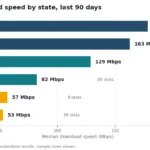
Most common causes: Wi-Fi between your modem and the TV (try Ethernet to the TV if possible), peak hour congestion at your provider (run a speed test at 10am vs 8pm to compare), an old TV with a slow Wi-Fi chip, or a temporary Stan outage. See the troubleshooting steps above. If your Ethernet speeds are consistently low at peak hours, the long-term fix is a better provider. Aussie Broadband, Superloop and Swoop top the ACCC’s evening speed report.
Does Stan use more data than Netflix?
Roughly the same. Stan and Netflix both use around 7 GB per hour for 4K and roughly 1-3 GB per hour for HD, depending on the title’s bitrate. Netflix uses slightly more for HD content on average (about 3 GB/hr vs Stan’s 1.1 GB/hr) because of its codec choices. For the full multi-service breakdown see the streaming data comparison.
Can I watch Stan in 4K on Premium plan?
Yes, 4K UHD with HDR is only available on the Premium plan ($22/month). Standard and Basic both cap at HD or SD respectively. You also need a 4K-capable device (most modern smart TVs, Apple TV 4K, Chromecast Ultra) and content that’s available in 4K (a subset of Stan’s catalogue).
Can I download Stan shows to watch offline?
Yes. On most TV shows and movies, though some titles are flagged as download-blocked by the studio. Basic allows downloads to 1 device, Standard to 3, Premium to 5. Useful for flights and patchy regional travel.
Is Stan worth it in 2026?
For Australian content (Bump, Wolf Like Me, the Lyle Lovell style productions), live sport via Stan Sport, and Showtime/Starzplay/A24 international content, yes. Stan’s strength is the catalogue depth in Australian productions and select premium American imports. If you mainly want Marvel/Star Wars then Disney+ is the better pick; for the broadest catalogue Netflix still leads. Many Australian households subscribe to two or three at once and rotate based on what they’re watching.
Related guides
- Internet speed for streaming video — 12-service comparison hub
- Internet speed for Netflix
- Test your internet speed — free tool + results guide
- How to compare NBN plans
- 5G home wireless vs NBN
- Internet speed for working from home