Last updated: 15 August 2026
Decided on mesh? Our best mesh WiFi systems in Australia guide has the current picks with live checked prices, from the $499 default answer up to WiFi 7.
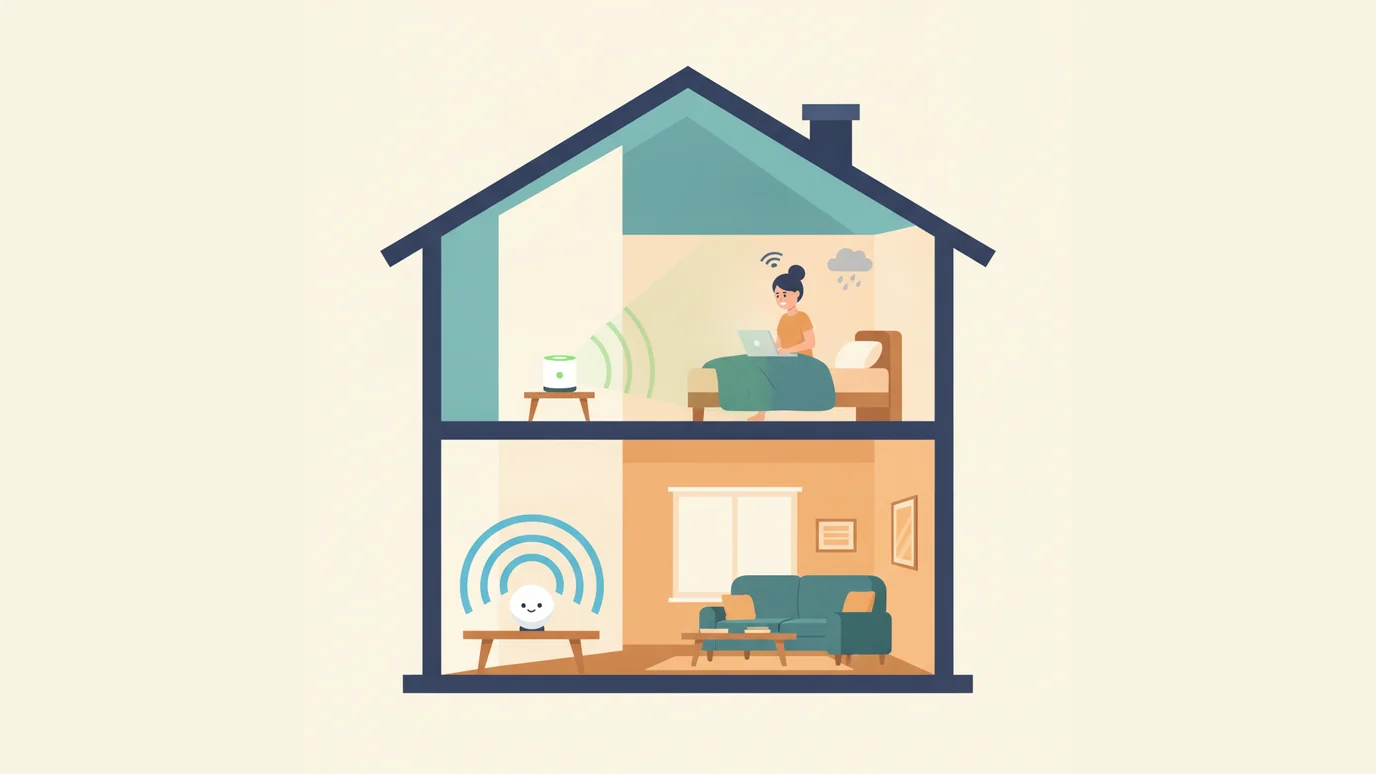
If the Wi-Fi is weak in one room and fine everywhere else, a range extender will probably sort it out for under $150. If it is patchy through most of the house, an extender will not save you and you want a mesh system. That is the short answer.
The bit most comparisons skip is that a lot of Australian homes do not have a coverage problem at all. They have a modem problem. It is the cheapest thing to check, it takes about ten minutes, and it comes up constantly in the reviews people leave on this site. So this article covers how each device actually works, how to tell which situation you are in before you spend anything, and what the two options cost here in 2026.
| Wi-Fi range extender | Mesh Wi-Fi system | |
|---|---|---|
| Typical Australian price | $50 to $180 | $250 to $900 |
| What it fixes | One dead spot | Coverage through the whole house |
| Network names | Two by default, can usually be set to one | One |
| Roaming between zones | Your device decides, often badly | Handled by the system |
| Speed cost | About half on a single band unit, minimal on dual band | Small, and none at all with Ethernet backhaul |
| Can you expand it? | No | Yes, add nodes |
| Replaces your router? | No | Usually yes |
| Best for | A flat, or one stubborn room | Most modern houses, especially double storey |
How each one actually works
This is the part that explains everything else, so it is worth thirty seconds.
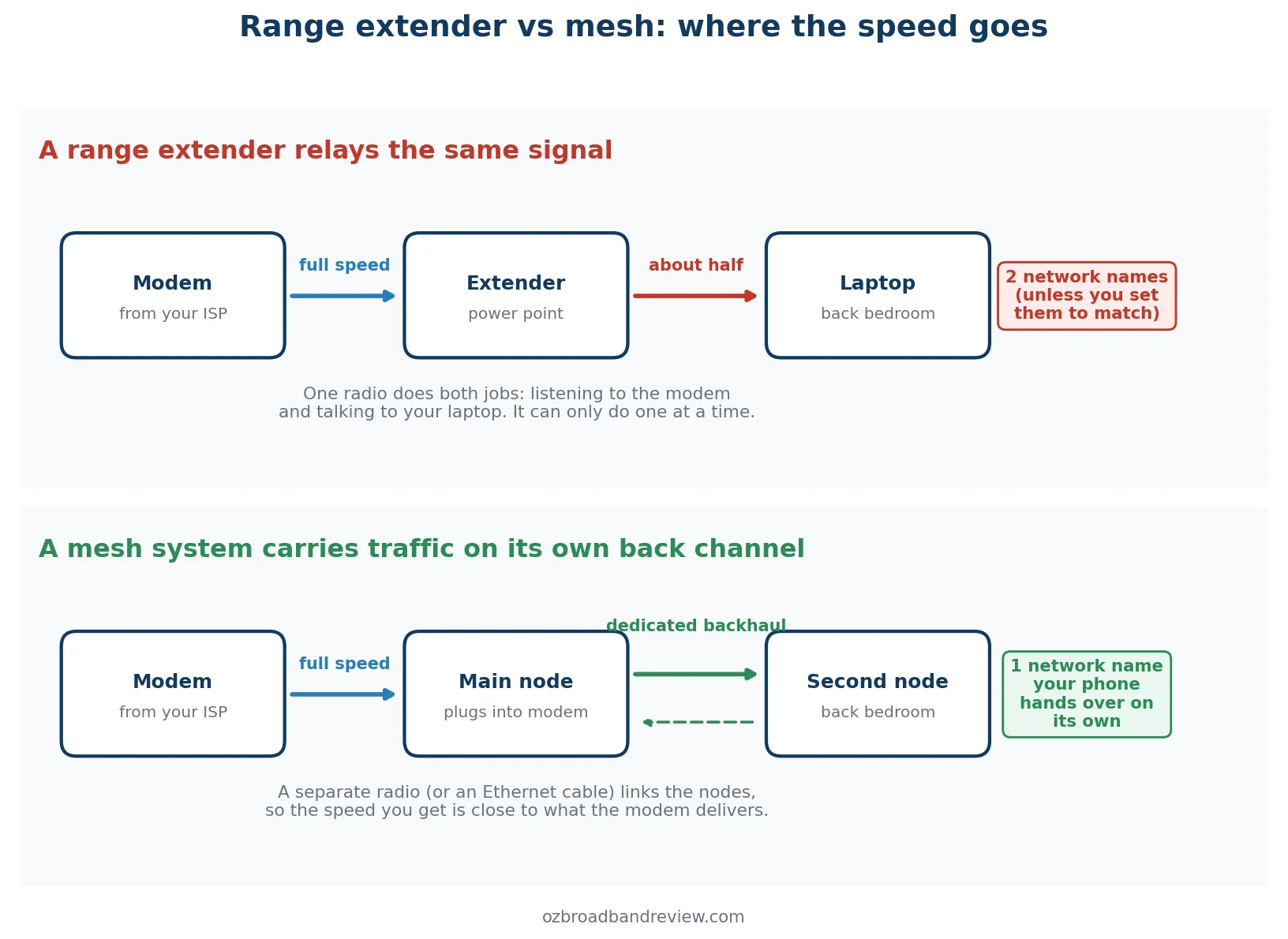
A range extender listens to your router and rebroadcasts what it hears. On a cheap single band unit, one radio does both jobs, and it can only do one at a time. That is where the old rule about extenders halving your speed comes from, and it is basically true. Dual band and tri band extenders use a separate radio for the link back to the router, which gets rid of most of the loss. They cost a bit more and they are worth it.
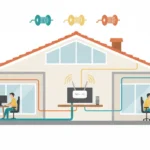
A mesh system does the same trick properly. The nodes keep a dedicated link between themselves, either on their own radio band or over an Ethernet cable if you have one running through the house, so the speed that reaches the far end of the house is close to what the modem is putting out. They also present one network name, and the system decides which node your phone should be on rather than leaving your phone to work it out.
That second point matters more than people expect. With an extender your laptop will happily cling to the weak original network at two bars while a much stronger extender signal sits there unused. Most extenders sold now can be set to use the same network name as your router, which helps, and it is worth digging through the app to turn that on. Look for something called One Mesh, Same SSID or FastLane. Devices still do not always pick the strongest of the two, but it is far better than the default.
Before you spend anything, check it is really coverage
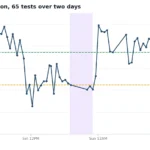
Run our speed test three times on the same device: once standing right next to the modem, once in the middle of the house, and once in the room that annoys you. Same device, same time of day, no one streaming in the background. Write the numbers down.
| What you see | What it means | What to do |
|---|---|---|
| Slow in every room, including next to the modem | Not a Wi-Fi problem. Either the connection or the plan | Neither device will help. See what to do if your NBN stops working |
| Good next to the modem, poor in one room | Coverage, one room | An extender is a reasonable first try |
| Good next to the modem, patchy in most rooms | Coverage, whole house | Mesh. An extender only moves the problem |
| Fine in the morning, terrible at 8pm in every room | Congestion, not coverage | Look at the plan and the provider, not the hardware |
That last row catches a lot of people. If the speed collapses every evening no matter where you stand, you are looking at a busy hour problem on the connection itself, and no amount of Wi-Fi hardware fixes that. Our guide on what slows down your internet goes through the other causes.
The modem your provider sent you is often the real problem
We have 1,240 reviews on this site going back to 2004, and 163 of them mention the modem or the router. It is rarely a compliment. What stands out is that it is not one bad provider, it is all of them, cheap and expensive alike.
“Supplied modem is junk. The supplied modem just isn’t up to par. Can’t support multiple wifi devices.”
Superloop customer, June 2022
“The modem supplied by Aussie Broadband has below average WIFI capacities.”
Aussie Broadband customer, April 2019
“Connection randomly drops out, bad quality provided router.”
TPG customer, April 2021
Providers buy modems in bulk to hit a price, and the Wi-Fi side is where they save money. A five year old free modem sitting in a media cabinet is doing a fair impression of a coverage problem. This is also why mesh fixes so much: it does not just add coverage, it takes the Wi-Fi job away from that modem entirely.
If you want to keep it cheap, a decent standalone router on its own is sometimes all you need, and our BYO modem setup guide covers how to swap it over without breaking anything.
So which one should you buy?
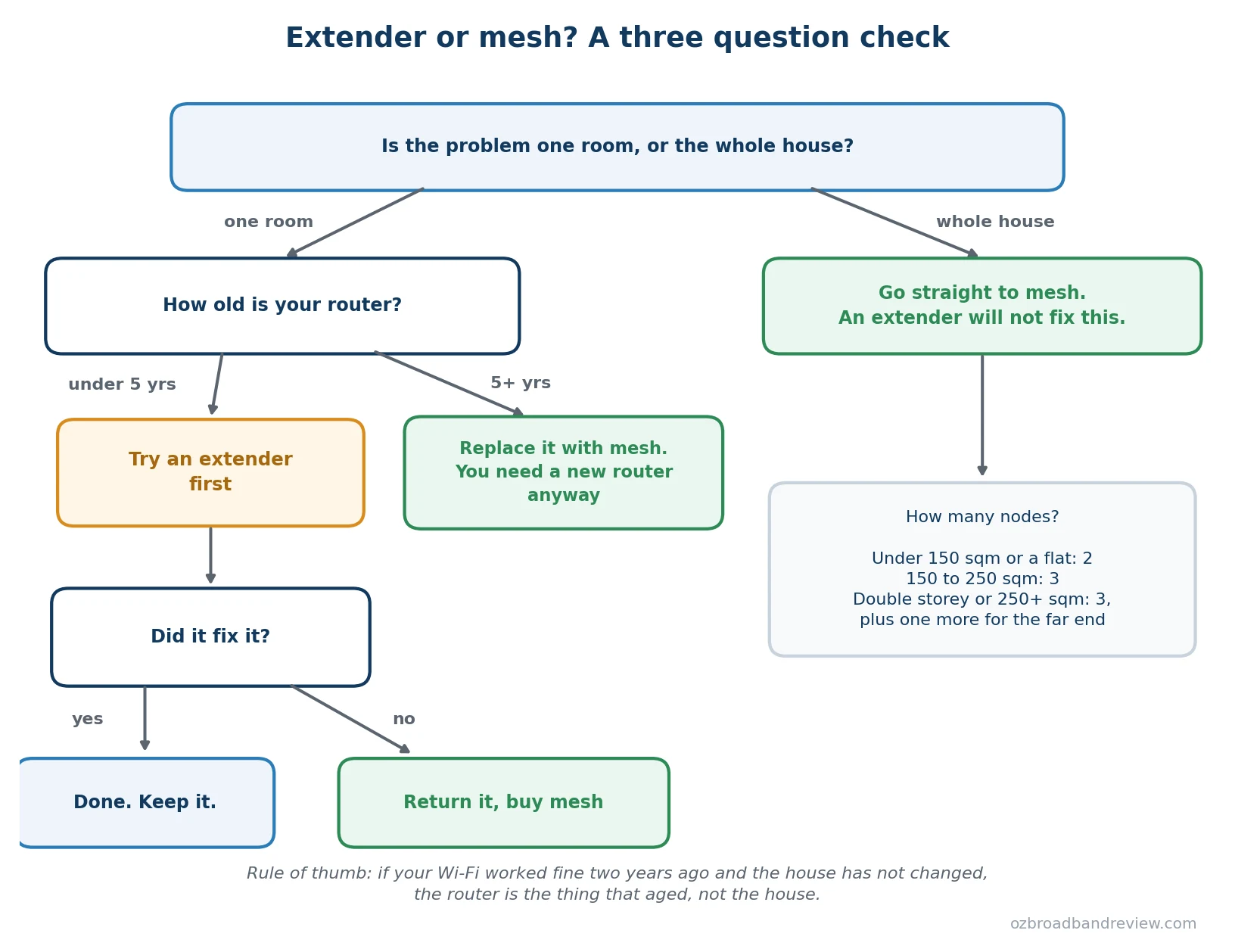
In words, if you would rather read it that way:
- One room, router under five years old. Try a dual band extender first. They are $100 to $180 and if it works you are done. Keep the receipt.
- One room, router five years or older. Skip the extender. You are going to replace that router anyway, so buy a two pack mesh and get the coverage as part of the same purchase.
- Patchy through the house. Mesh, no argument. An extender will fix one room and leave the other three the way they are.
- Double storey, or anything over 250 square metres. Three nodes minimum, and put one at the far end rather than in the middle of the house.
If your Wi-Fi was fine two years ago and the house has not changed, the router is the thing that aged, not the house. Device counts have gone up as well. A 2019 modem that handled a couple of laptops and a TV is now being asked to run two phones each for four people, a couple of TVs, a doorbell, a robot vacuum and a set of speakers.
What they cost in Australia
Prices move around a fair bit, particularly on sale, so treat these as bands rather than quotes. JB Hi-Fi, Officeworks, Amazon AU and Bunnings all stock the major brands, and Officeworks will price match.
| Tier | Roughly | Examples |
|---|---|---|
| Extender, budget | $50 to $100 | D-Link DAP-1620, Netgear EX6250 |
| Extender, dual band worth buying | $100 to $180 | TP-Link RE700X, TP-Link RE815X, Netgear EAX15 |
| Mesh, entry Wi-Fi 6 three pack | $250 to $350 | TP-Link Deco X50, eero 6+ |
| Mesh, mid range | $400 to $700 | Asus ZenWiFi XD6, Google Nest WiFi Pro |
| Mesh, Wi-Fi 7 | $700 and up | TP-Link Deco BE65, Asus ZenWiFi BT8 |
| Extra single node | $100 to $200 | Same brand and range as your set |
For most households the entry Wi-Fi 6 three pack is the sweet spot. Around $300 buys enough coverage for a normal house and enough hardware to still be fine in five years. Wi-Fi 7 is only worth the premium if you are on an NBN 1000 plan and you own devices new enough to take advantage of it.
Can you use an extender with a mesh network?
You can, but it is rarely the right move. If you already have mesh and one corner is still weak, buy another node of the same brand. It joins the network from the app in about two minutes and behaves like the rest of the system. Bolting an extender onto a mesh gives you back the second network name and the roaming problem you paid to get rid of.
The one exception is a temporary fix, where your mesh range has been discontinued and you need something working this weekend.
My experience
I had a stubborn dead spot in my home office that no amount of moving the router around would fix. I tried a TP-Link extender first. It worked, in the sense that there was signal where there had not been signal, but the separate network with _EXT on the end of the name drove me up the wall, and my laptop kept hanging onto the weaker original network instead of switching across.
I gave up after a few weeks and bought a TP-Link Deco set. Two nodes covered the whole townhouse, setup took about fifteen minutes from the phone app, one network name everywhere. The dead spot was gone. In hindsight I should have skipped the extender, and that is really the honest lesson: the extender is only cheaper if it actually solves the problem.
Frequently asked questions
Is mesh Wi-Fi better than an extender?
For whole home coverage, yes. Mesh gives you one network name, your devices hand over between nodes without dropping the connection, and you can add nodes later. An extender is cheaper and it is genuinely the right answer for a single dead spot, but it does not scale and it costs you speed.
Do extenders really halve your speed?
A single band extender does, roughly. It uses one radio to listen to your router and the same radio to talk to your devices, and it can only do one at a time. Dual band and tri band extenders use a separate radio for the link back to the router, which avoids most of the loss. If you are buying an extender, buy one of those.
What is the difference between a mesh network and a Wi-Fi repeater?
A repeater is the older name for what is now sold as an extender. Same device, same job. It rebroadcasts one router’s signal. A mesh system is a set of nodes that work together as a single network, usually with a dedicated link between them.
Will a mesh system make my internet faster?
Only in the parts of the house where the Wi-Fi was the bottleneck. Mesh cannot give you more speed than your plan delivers to the modem. If your speed is slow in every room including right next to the modem, the problem is the connection or the plan, not the Wi-Fi.
Does a mesh system replace my modem?
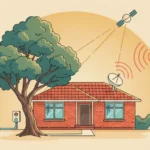
No. The modem is what connects you to the NBN, 5G or Starlink. The main mesh node plugs into it. If your provider sent you an all in one modem router, you either put it in bridge mode or turn its Wi-Fi off and let the mesh handle everything wireless.
How many mesh nodes do I need?
Two covers most apartments and homes under about 150 square metres. Three suits a typical 150 to 250 square metre house. Double storey homes and anything over 250 square metres usually want three plus one extra at the far end. Most mesh systems are sold in two packs and three packs for exactly this reason.
Where should I put the second node?
About halfway between the main node and the dead spot, not in the dead spot itself. The second node still has to hear the first one clearly. Out in the open on a shelf beats hidden behind the TV or inside a cupboard, and keep it away from the microwave and the fridge.
Do I need Wi-Fi 6 or Wi-Fi 7?
Wi-Fi 6 is the sensible floor in 2026 and it is what most mesh systems in the $250 to $400 range use. Wi-Fi 7 is worth the extra money only if you are on an NBN 1000 plan or faster and you have devices new enough to use it. For an NBN 50 or NBN 100 household it makes no practical difference.
Can I add more nodes to my mesh later?
Yes. Single add on nodes usually run $100 to $200. Stay with the same brand and range and they join the existing network from the app.
What is the cheapest mesh system in Australia?
Entry level Wi-Fi 6 three packs like the TP-Link Deco X50 or the eero 6+ hover around $300, and they drop closer to $250 on sale. Older Wi-Fi 5 sets go cheaper again, but at that point you are buying yesterday’s hardware to solve a problem you will have for years.
Related reading
- 5 things that may be killing your home Wi-Fi signal
- BYO modem setup for NBN, step by step
- Things that can slow down your internet speed
- Test your connection room by room with our speed test
And if the speed test says the plan is the limit rather than the Wi-Fi, our guide on how to compare NBN plans covers what actually matters, or you can go straight to the current best NBN plans.