Moving house is the single best moment to sort out your internet, and most people waste it. Because nearly every NBN plan in Australia is now month to month, moving day is the one time you can walk away from your provider with no exit fee and no awkward retention call. This guide gives you the two week countdown that keeps you online, explains how long the connection at the new place actually takes, and covers the $300 fee that keeps surprising people moving into new builds.
If you only remember three things: check the new address two weeks out, leave the NBN box behind, and treat the move as a chance to switch to a better plan. The rest is detail, and it’s all below.
The two week countdown
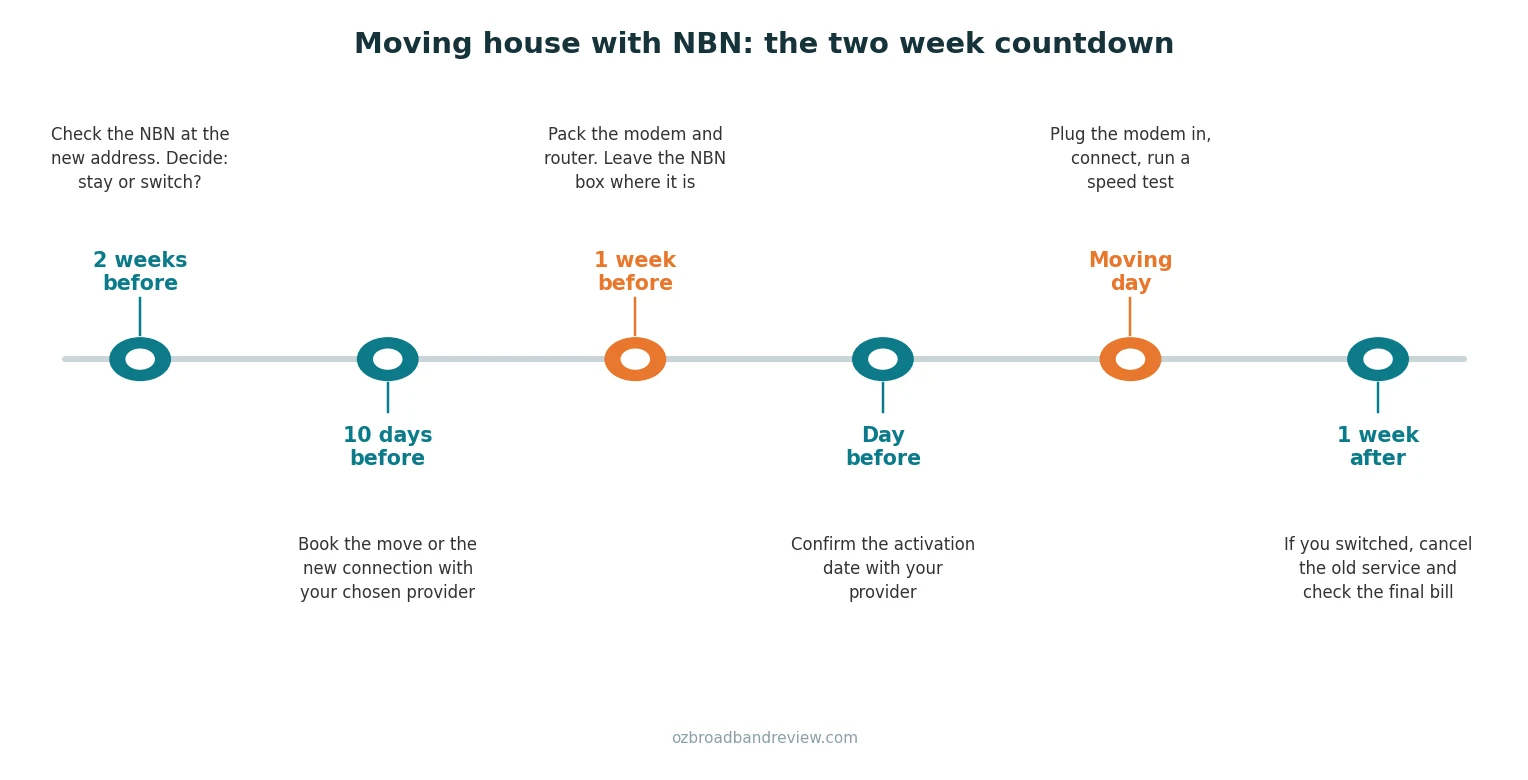
Two weeks before: check the new address
Put the new address into the NBN Co address checker before you do anything else. You’re looking for two things: whether the address is connected, and what technology it’s on. The technology matters more than most people realise. If you’re going from FTTP to FTTN, your speeds will probably drop and your shiny fibre modem setup changes. Going the other way, you might finally be able to order the fast tier you couldn’t get before. We’ve covered the differences in our guide to the types of NBN connections.
This is also the moment to make the stay or switch decision, which gets its own section below. Decide now, because the booking you make in a few days depends on it.
Ten days before: book it
If you’re staying with your provider, log in and lodge a relocation. If you’re switching, sign up with the new provider and give them the new address and your moving date. Either way, book about ten days out. Connections at previously connected addresses are quick, but if the address needs a technician visit you want that appointment locked in before the removalist is booked, not after.
One tip from plenty of bitter forum threads: don’t cancel your old service yet. Cancel after the new one works, not before. An overlap of a few days costs a couple of dollars; a gap with no internet while you’re trying to set up a new house costs a lot more in sanity.
One week before: pack the right gear
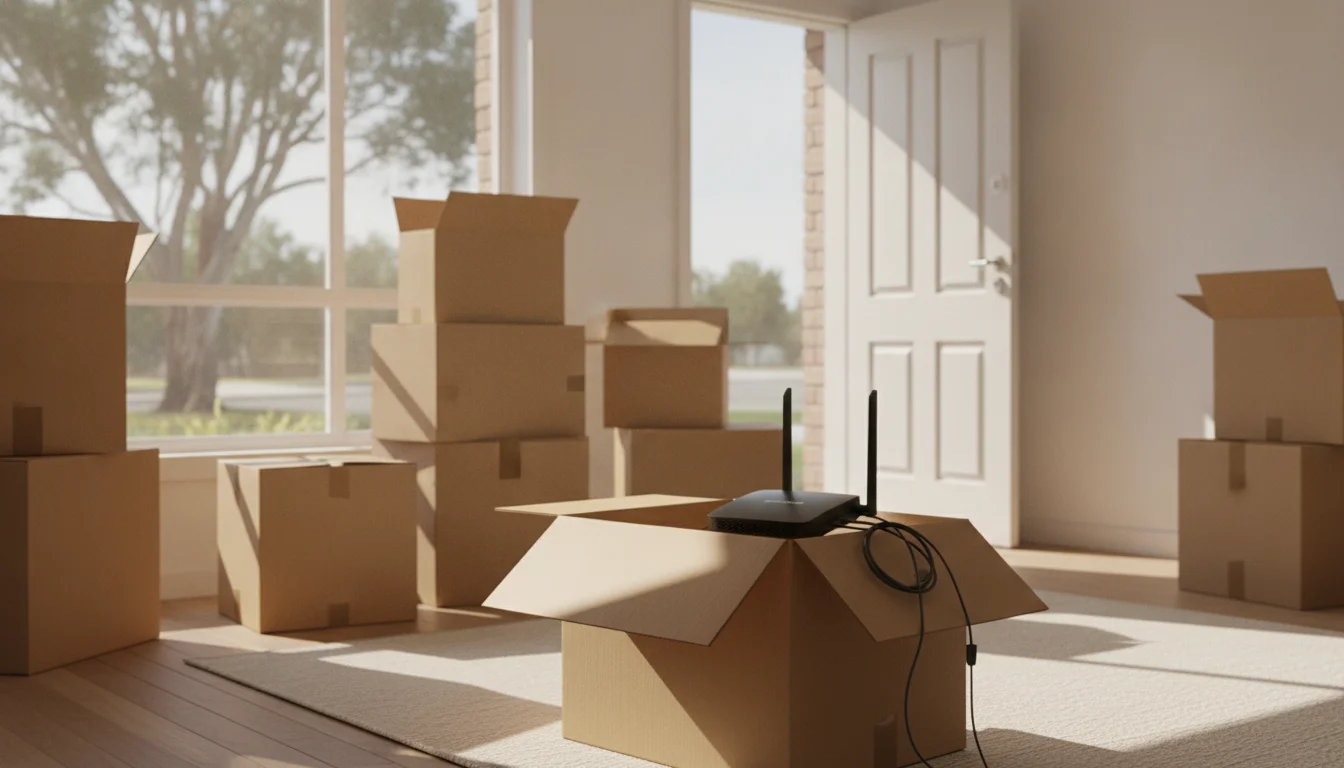
Your modem, router, mesh units and cables go in a box you can find on day one. The NBN connection box (the one with the NBN logo, usually screwed to a wall or sitting near a power point) stays behind. It’s registered to the address, not to you, and it won’t work anywhere else. NBN Co runs a whole campaign asking people to leave the box behind because so many movers pack it. If you do take it by mistake, they’ll give you a free Australia Post label to send it back.
The day before: confirm activation
A quick check of your provider’s app or a short call. You want the activation date confirmed and, if a technician is coming, the appointment window. If something has slipped, better to find out now than standing in an empty living room.
Moving day: plug in and test
Find the NBN box at the new place, plug your modem in, and give it a few minutes. If the service was activated remotely it often just works. Then run a speed test so you have a baseline. If you’re paying for NBN 50 and getting 12, you want to know in week one while it’s easy to complain, not in month six.
One week after: tie off the loose ends
If you switched, cancel the old service and check the final bill for anything odd. If you stayed, make sure the old address was actually disconnected. Either way, you’re done.
Should you take your provider with you or switch?
Here’s the thing your provider’s “moving home” page won’t tell you: moving is the cheapest possible moment to leave. You were disconnecting anyway. There’s no retention hoop to jump through, and new customer pricing at another provider is almost always better than the loyalty pricing you’ve drifted onto. To be honest, if you’ve been on the same plan for more than a year, switching at the move will probably beat staying even before you compare speeds.
| Switch at the move if… | Stay with your provider if… |
|---|---|
| You’ve been on the same plan for 12 months or more | You signed up recently and your intro discount is still running |
| Your bill is over $80 a month for NBN 50 or below | You’re mid contract with an exit fee that outweighs the saving |
| The new address is on a different technology anyway | You have a bundle (mobile, entertainment) you’d lose money breaking |
| Your current provider has been average and you’d never actively choose them again | Your provider has been genuinely good and the price is still competitive |
If you land in the switch column, our guide on how to switch NBN providers covers the mechanics, and the plans below are a good starting point for the price comparison.

|
Turtle Speed
25 Mb/s
Unlimited data
|
$64.90/mth | Go to site |

|
Value
25 Mb/s
Unlimited data
|
$42.90/mth
for 6 mths,
then $72.90/mth |
Go to site |

|
Basic - nbn 12/1
12 Mb/s
Unlimited data
|
$77/mth | Go to site |

|
Everyday
25 Mb/s
Unlimited data
|
$58/mth
for 6 mths,
then $78/mth |
Go to site |

|
One Plan
500 Mb/s
Unlimited data
|
$80/mth | Go to site |
| Click here to view more NBN plans | |||
How long will the new connection take?
It depends almost entirely on whether the new address has had an NBN service before.
| Situation at the new address | Typical wait | Technician needed? |
|---|---|---|
| Previously connected, NBN box already installed | Same day to 3 business days, sometimes within hours | Usually no |
| Connected before but the box is missing or damaged | Up to a week | Often yes |
| Never connected (common in new builds) | Up to 2 weeks, occasionally longer | Yes |
That last row is why the countdown starts two weeks out. A previously connected house is a non event; a brand new townhouse with no box on the wall is a technician appointment, and those windows fill up. If you’re moving into an apartment building the story has a few extra wrinkles (building access, FTTB risers, strata), which we’ve covered in the apartments guide.
If the dates genuinely don’t line up and you’ll have a gap, a 5G home internet plan or your phone’s hotspot can bridge a week without much pain. We’ve compared the options in 5G and home wireless vs NBN.
The $300 fee nobody warns you about
If the new place is in a newly built development, the first NBN order at that address can trigger NBN Co’s once off New Development Charge of $300. Your provider passes it straight through to you, and you’ll be told before the order goes ahead, so it at least won’t appear silently on a bill.
The part that stings is who ends up paying it. The charge belongs to the property, not the person. It applies once in the life of the building, and every tenant and owner after you benefits from it. Renters moving into brand new builds keep getting hit with it, and threads on Whirlpool and PropertyChat are full of tenants asking the obvious question: why am I paying a $300 infrastructure charge on a house I don’t own? The standard advice in those threads is the right one. Ask the landlord or property manager to reimburse it, since it’s a one off cost that permanently improves their property. Some agree straight away, some don’t, and if yours doesn’t, your state’s consumer protection or tenancy body is worth a call. Renters have a few other traps to dodge too, and our internet for renters guide runs through them.
What to leave, what to take
| Item | Take or leave? | Why |
|---|---|---|
| NBN connection box (NTD) and its power supply | Leave | Registered to the address, useless anywhere else |
| Your modem/router | Take | Yours, and it’ll likely work at the new place |
| Mesh WiFi units and extenders | Take | Yours, address doesn’t matter |
| Ethernet cables, power packs, splitters | Take | Cheap to replace but annoying to rebuy one by one |
| Provider supplied modem (if you cancel) | Check | Some providers want hardware back if you leave within a set period |
One caveat on the modem: it’ll work at the new place if the technology is the same or simpler. A standard modem router with an ethernet WAN port works on FTTP, HFC and FTTC. If you’re moving to an FTTN or FTTB address you specifically need a modem with a VDSL port, which not all of them have. Check before moving day, not after. Our connecting to the NBN guide covers the setup for each type.
Frequently asked questions
Can I take my NBN box to the new house?
No. The NBN connection box is registered to the address and won’t work anywhere else. Leave it behind. If you’ve already packed it, NBN Co will send you a free Australia Post return label.
How long does it take to get connected after moving?
If the new address has been connected before, typically same day to 3 business days. If it has never been connected, a technician visit is needed and it can take up to 2 weeks, which is why you should book about ten days before you move.
Does it cost anything to move my NBN plan to a new address?
Most providers on month to month plans relocate you for free, though some charge a relocation or new connection fee, so check before you book. The bigger costs to watch are the $300 New Development Charge at brand new addresses and exit fees on older fixed contracts.
Do renters have to pay the $300 New Development Charge?
The charge lands on whoever places the first NBN order at the address, which in a new rental is often the tenant. It’s a once off charge that permanently benefits the property, so ask the landlord to reimburse it. If they refuse, your state’s tenancy or consumer protection body can advise.
Should I switch NBN providers when I move?
If you’ve been on the same plan for over a year, probably yes. Moving means you’re disconnecting anyway, so there’s no exit penalty on a month to month plan, and new customer pricing elsewhere usually beats the price you’ve drifted onto. Compare what you’re paying against current plans before you lodge the relocation.
Can I keep my home phone number when I move?
Usually yes if you stay with the same provider, since NBN phone services are VoIP and the number isn’t tied to the copper line anymore. If you’re switching providers, ask about porting the number before you cancel, because a cancelled number is much harder to get back.
What if the NBN isn’t available at my new address?
Check whether 5G home internet covers the address, and failing that, 4G home wireless or mobile broadband will keep you online. Some rural addresses are served by Sky Muster satellite or Starlink instead.